Lagos Life Game Map Guide: How to Travel and Go Home
Open Map, select a venue and read its destination card. Choose a transport option, check the fare on the green Go button, then tap it to travel. To return, use the small home icon beside the location name, choose your transport again and confirm Go. This walkthrough pictures both journeys.
On this page
How do you use the Lagos Life Game map?
The map is how you move between venues: open it, select a destination, choose transport and confirm Go. This guide follows a trip to Amala Shitta and a separate return home, showing where the destination card, fare and return shortcut appear. For what each ride costs and how fast it moves, use the Lagos transport fare table.
Source and review: all six screenshots come from Can I Get Rich in Lagos Life Without Begging? by Katherine Psych, published 2026-10-06. We read the full transcript and checked each selected frame on 2026-10-14. These are older recording screenshots, not a new test with a logged-in account. Each caption links to its exact source second; the return-home excerpt occurs earlier in the video than the outward trip. The written instructions are ours.
Step 1 — Where is the map button?
Tap Map in the bottom navigation. In the recording, the selected tab turns dark and the view changes to Lagos landmarks and venue markers. Find the venue you want before opening its card. This example stays in Lagos; the city tabs at the top are outside this walkthrough’s scope.
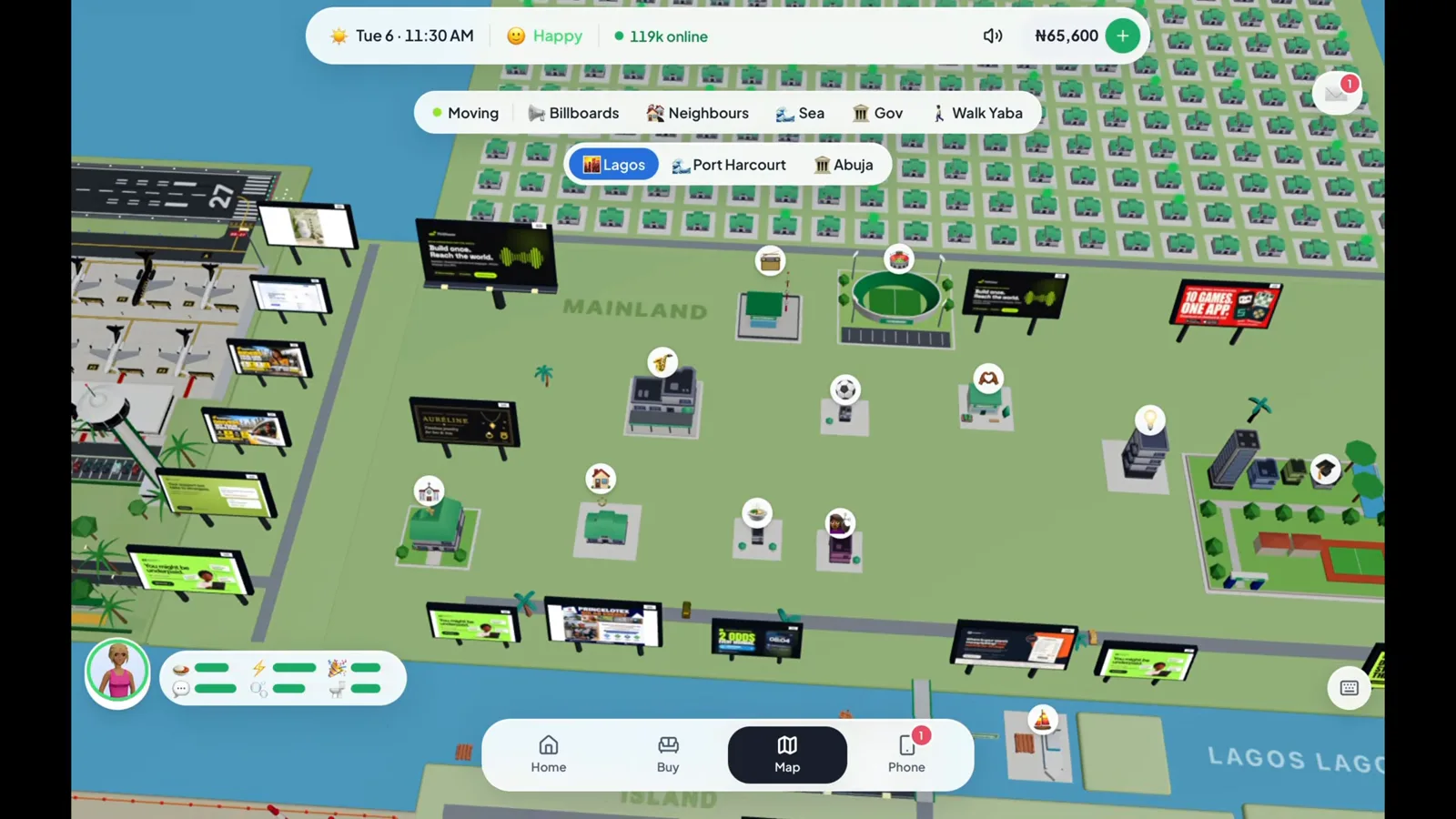
Look for the venue marker on the map, then select it. (11:50 in the video)
Step 2 — How do you check a destination before travelling?
Select the Amala Shitta marker. Its destination card names the venue and Surulere, then lists the food and activities there. The transport row sits below the venue details. Reading the card first lets you check that you have chosen the place you meant to visit.
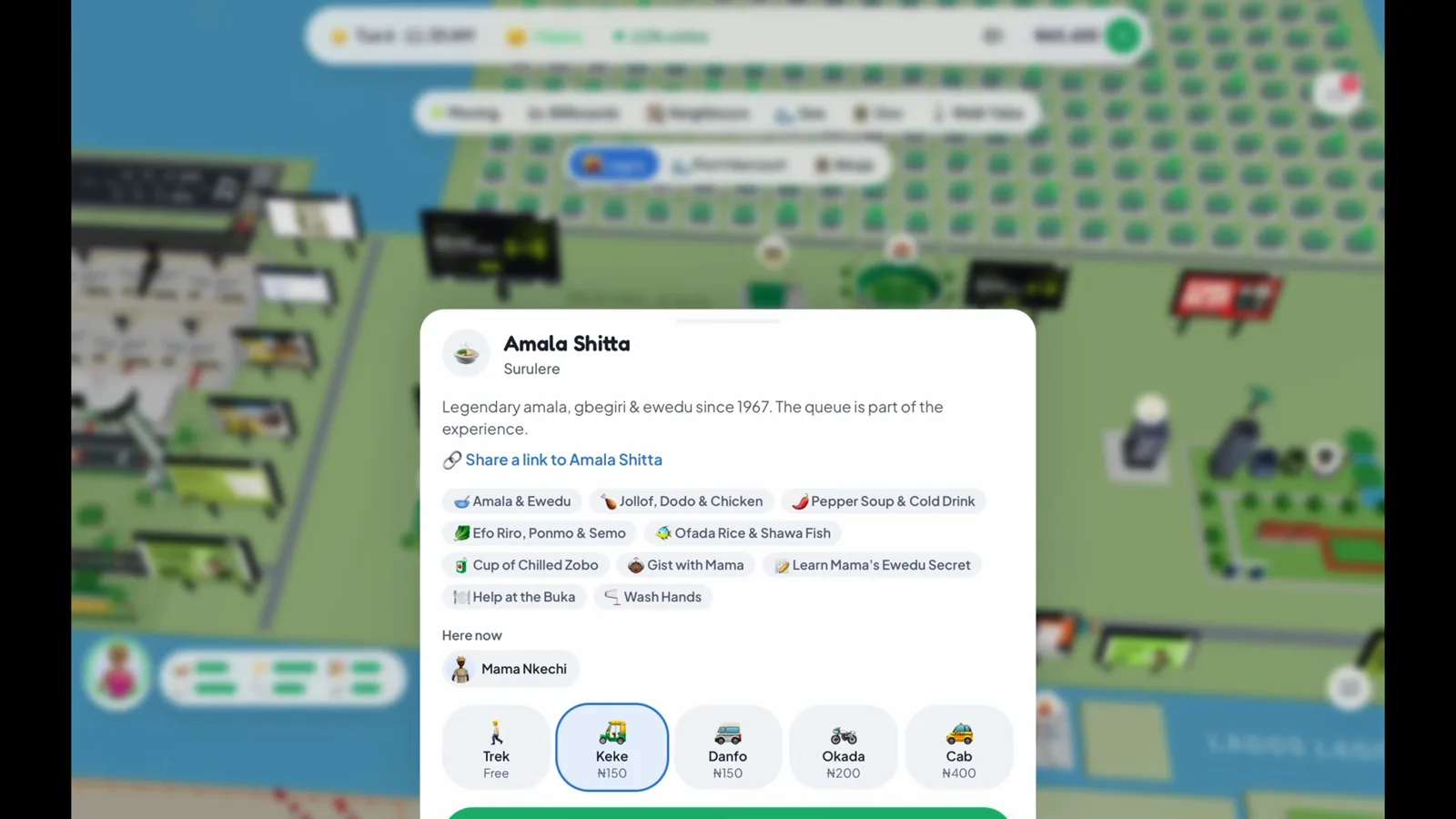
The card identifies the place and what you can do there before you pay to travel. (11:52 in the video)
Step 3 — How do you choose transport and start the trip?
Read the options along the bottom of the card: Trek, Keke, Danfo, Okada and Cab appear in this recording. The chosen ride gets a blue outline; here it is Keke. The green Go button repeats the selected trip fare. Check that amount, then tap Go.
Trek is labelled Free, while the paid options show a fare. A cheap ride can take longer, so the transport guide’s speed comparison helps if you are fitting this trip around a shift.
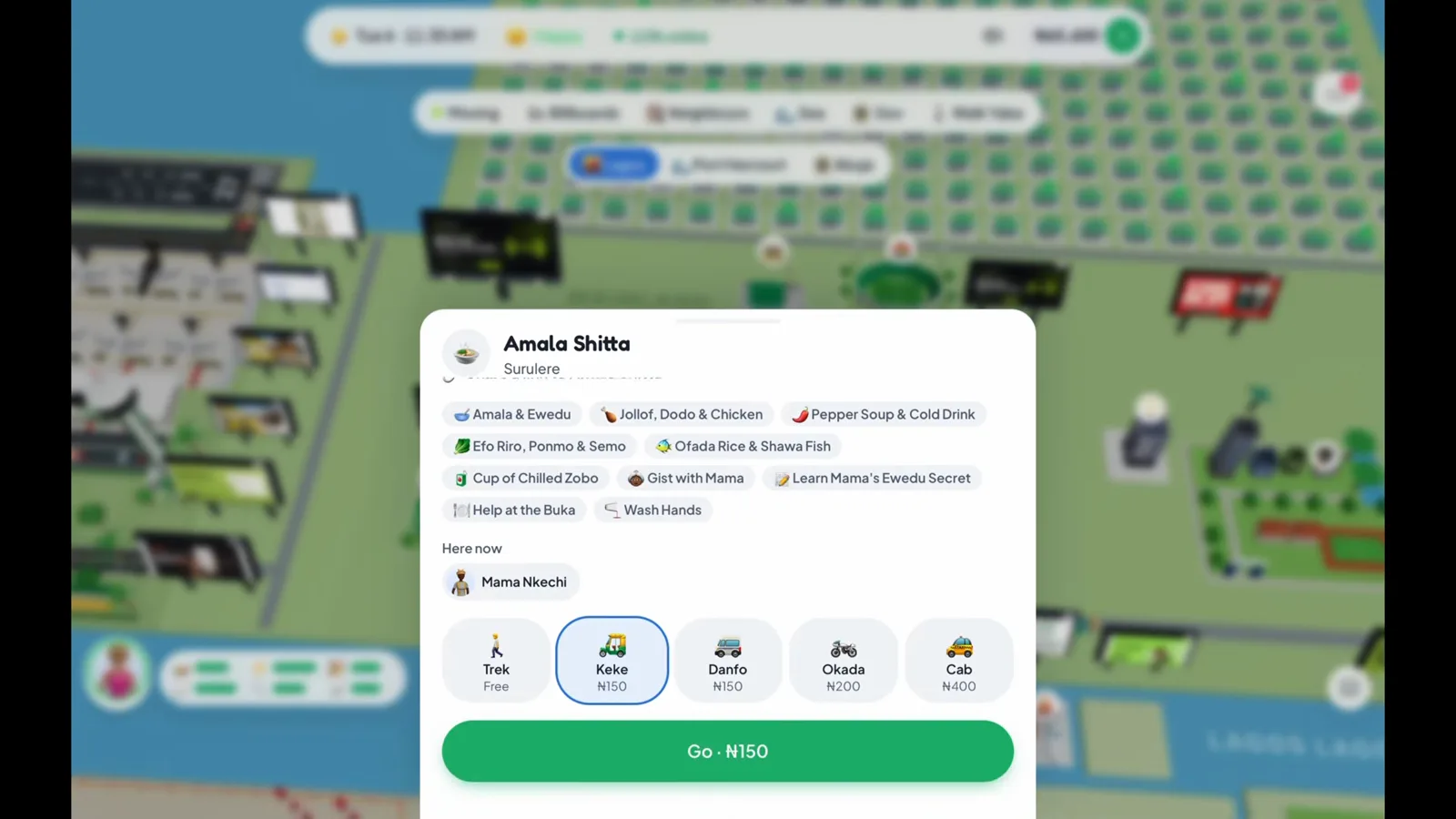
The blue outline marks the ride; the Go button is the final fare check. (11:54 in the video)
Step 4 — How do you know you have arrived?
The view changes from the map to the venue interior. At Amala Shitta the location panel names the food spot and exposes its Buka counter, Mama’s kitchen, Wash bowl and People controls. Seeing those venue controls tells you the trip has finished and you can interact there.
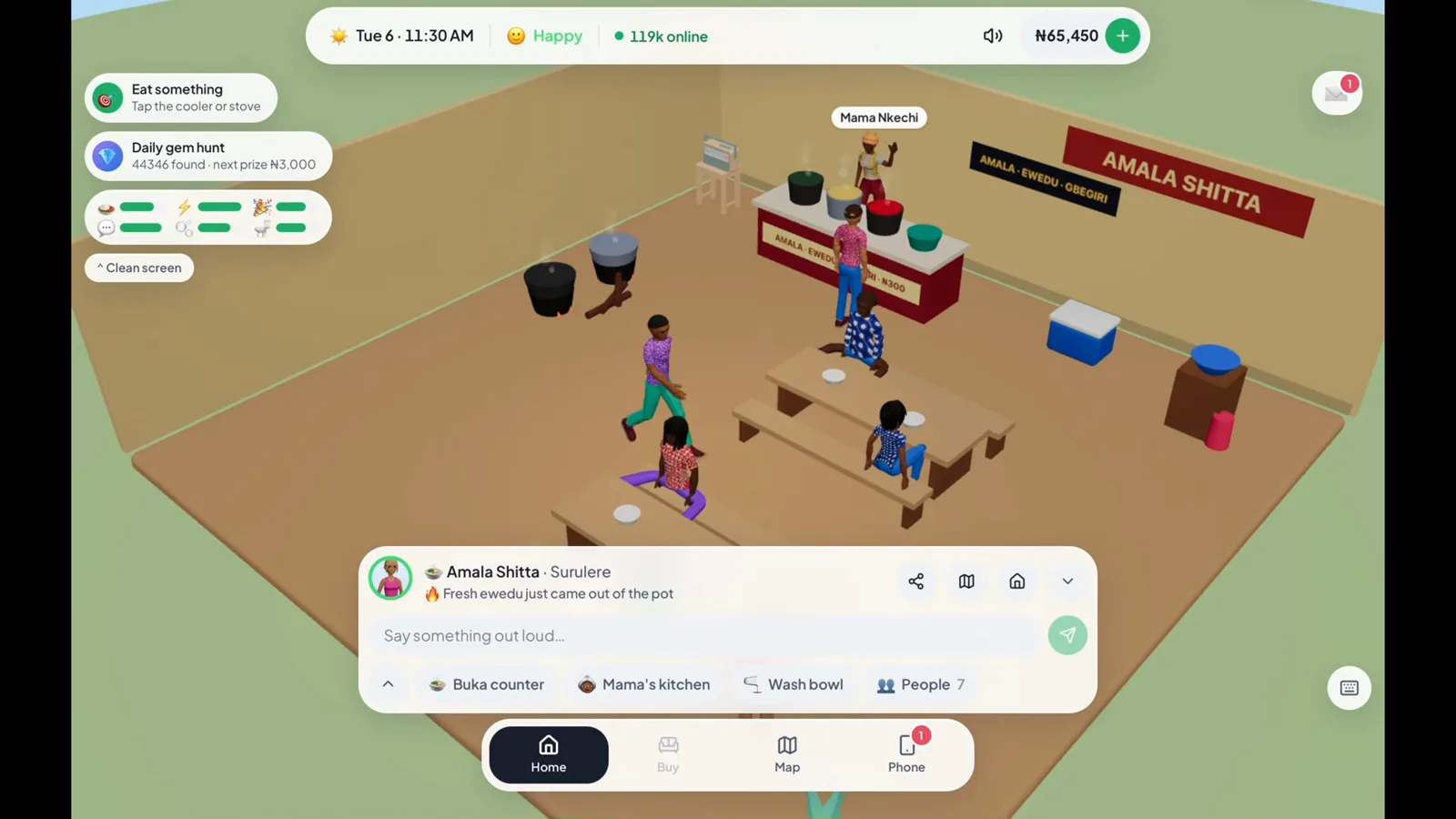
The location panel now gives you the venue’s actions instead of a travel fare. (11:55 in the video)
Need the sign-up and starter-room steps before making this journey? The first-day picture walkthrough starts there.
Step 5 — How do you get back to your own home?
Use the small house icon beside the current location name. This opens a destination card called Home, naming Mushin for the player in the recording. Choose transport again and tap Go, just as you did for the outward trip.
The large Home tab in the bottom navigation is already selected while the player is at the food spot; it should not be mistaken for a completed return journey. Look for the small house shortcut and the Home destination card. The pictured card has Cab selected, but the player changes the option before leaving.
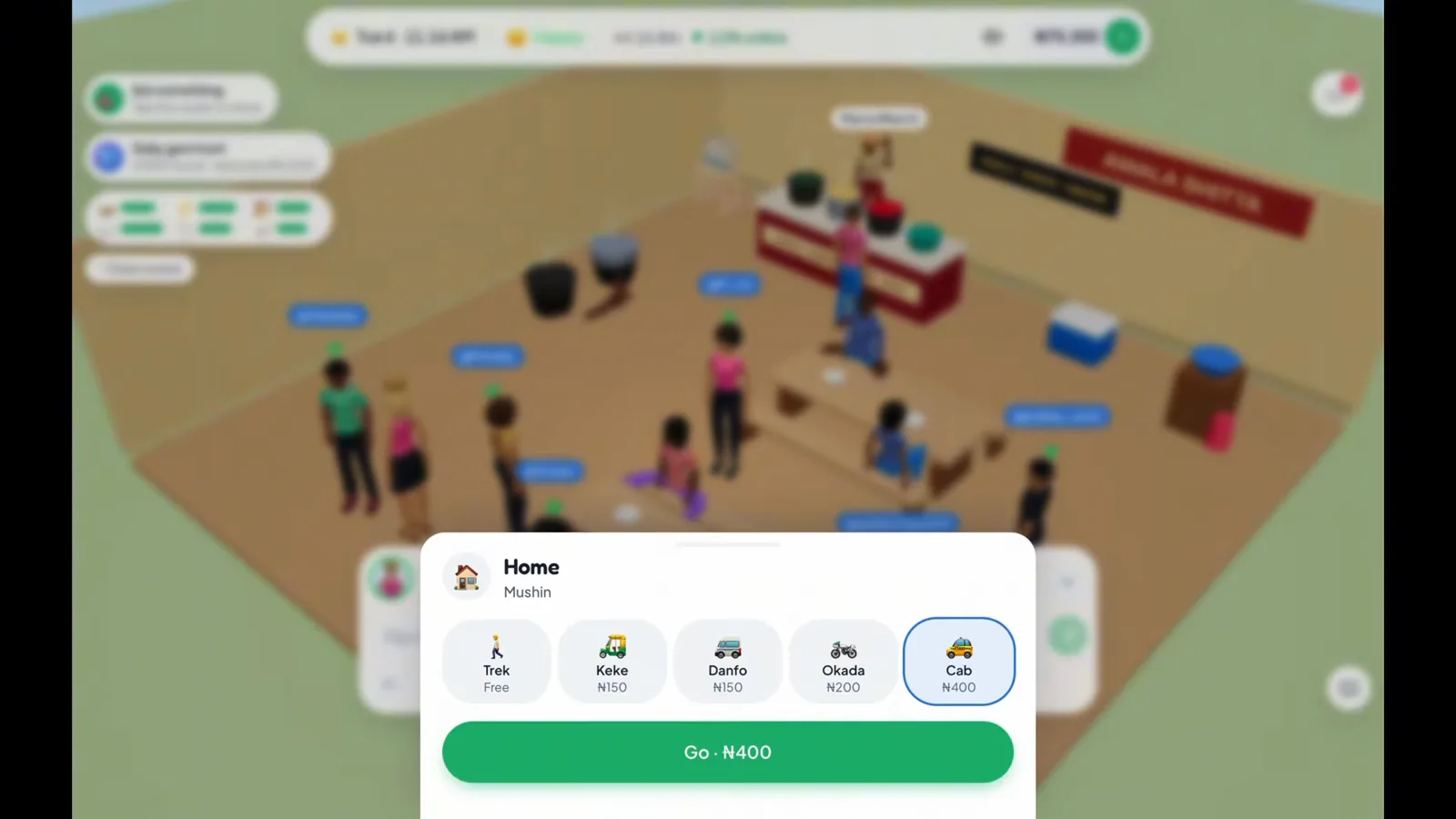
Home is another destination card: choose the ride you want before confirming Go. (6:04 in the video)
Step 6 — What confirms that you are home again?
Wait for your room to appear. The recording shows a Home sweet home toast above the Mushin interior. That is the end of the journey; your bed, cooler and other home objects are available again. Returning to this room is separate from changing your address, which the rent-a-home walkthrough covers.
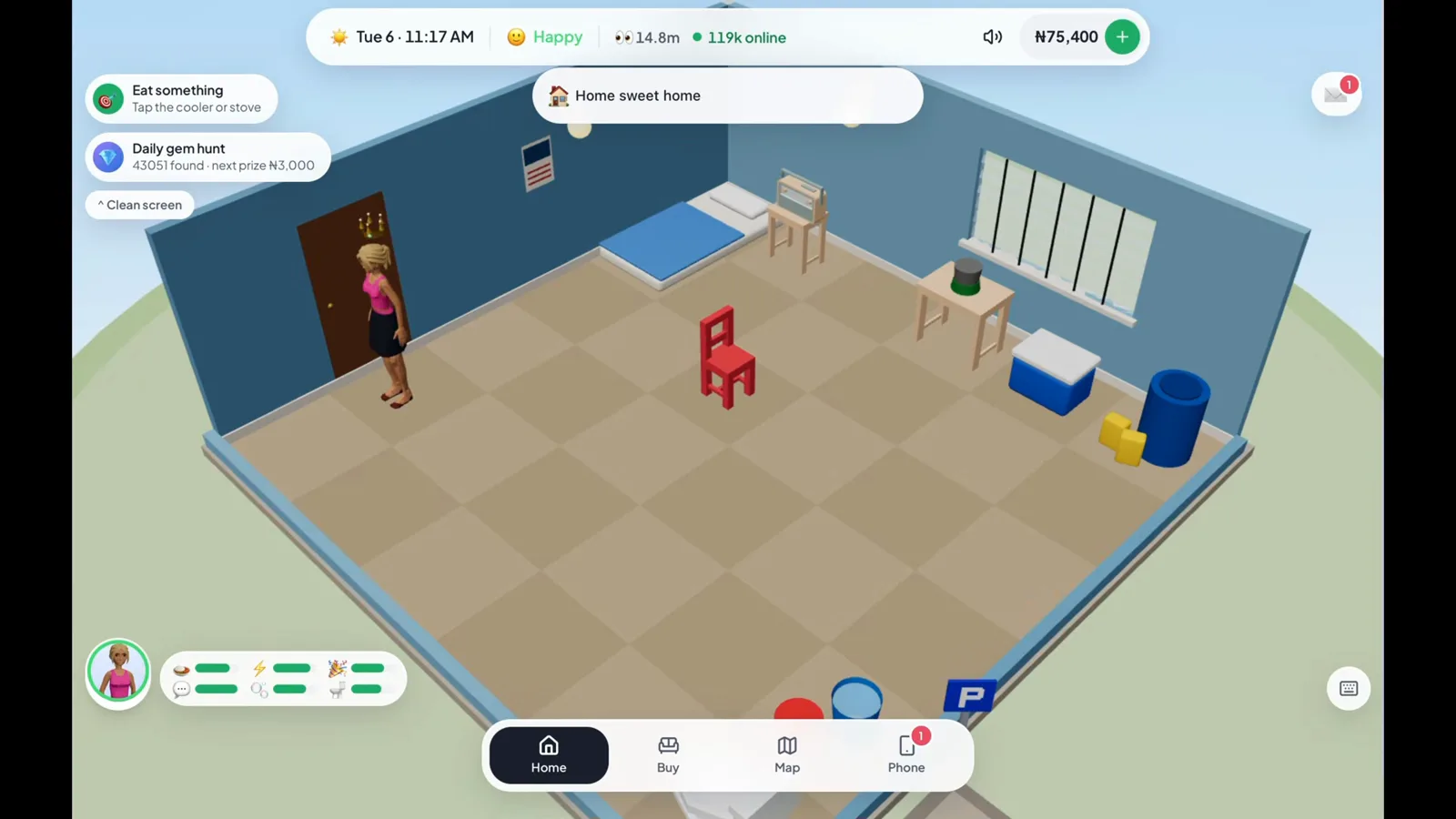
The room and welcome toast confirm you are back at your own address. (6:10 in the video)
What does this local-trip walkthrough leave out?
It demonstrates travel inside Lagos using one player’s recorded interface. It does not verify a current account’s city access, every venue’s opening status, or journeys between cities. Use the Abuja and Port Harcourt guide for the public client’s intercity rules and their separate checked date. Read each destination’s current card in your own game before choosing a ride.
Frequently asked questions
How do you travel somewhere in Lagos Life Game?
Open Map at the bottom of the screen, select a venue, choose a transport option on its destination card and tap the green Go button. The recording shows this flow for Amala Shitta in Lagos.
How do you return home in Lagos Life?
Use the small house icon beside the current location name to open the Home destination card. Choose a transport option and tap Go. The recording returns to a Mushin room and shows a Home sweet home confirmation.
Is the Home button the same as travelling home?
In the recording, the large Home tab is selected while the player is still at Amala Shitta. The small house icon beside the location name opens the return-trip card; choosing a ride and tapping Go completes the journey.
Can you walk instead of paying a Lagos Life fare?
Yes. The destination card labels Trek as Free. Paid rides show their trip fare beneath the transport name, and the Go button repeats the selected fare. Compare speeds and the fare formula in our transport fares guide.
Does this walkthrough cover travel to Abuja or Port Harcourt?
No. These pictures demonstrate local journeys inside Lagos. Abuja and Port Harcourt have their own guide with the public client's flight, night-bus and driving rules; this page does not claim to show those trips on a live account.
Related pages
Lagos Life Game Furniture: How to Move and Rotate It
Rearrange furniture in Lagos Life Game with five clear pictures: select an owned chair, use Move, rotate, confirm Done and spot a blocked stove warning.
Lagos Life Game UNILAG Guide: Student Start, Halls and Exams
Choose the UNILAG student start in Lagos Life Game, budget for hall rent, enrol later, unlock exams and see what your degree changes after graduation.
Lagos Life Game Needs: How to Eat, Wash and Rest at Home
Find food, hygiene and rest actions in Lagos Life Game with five pictures of the cooler, water drum, blocked paths, mattress menu and Wake up button.
Was this helpful?