Lagos Life Game First Day Walkthrough, Step by Step
Your first day in Lagos Life, shown frame by frame: sign up at lagoslife.app with an optional email, build your Sim through the five-step creator — Look, Personality, Dream, Birth lottery and your first home — then learn the needs bars over a first meal. Every step links to the exact minute of the video it comes from.
On this page
What does your first day in Lagos Life actually look like?
You sign up on the official site, build your Sim through the game’s five creator steps — Look, Personality, Dream, Birth lottery and Home — and then keep six needs bars fed on the real Lagos clock. This page walks through that whole first day in ten pictured steps, taken from a real gameplay recording.
Where the pictures come from: the frames on this page are from LAGOS LIFE FULL FEATURES GUIDE – Everything You Can Do in the Game by Samuel Awoyemi H-QTV (recorded and published 2026-10-06, 25:21), used with credit as the source recording. The written steps are ours; every step deep-links the exact second of that video. Game numbers on this page come from our own check of the public client on 9 Oct 2026.
If you have not installed the game on your phone yet, the install guide covers the home-screen shortcut first.
Step 1 — How do you open the sign-up page?
Open lagoslife.app in a browser. The landing page is a live map of the city with a player counter in the top bar, and a Sign up button at the top right — no download, no store.
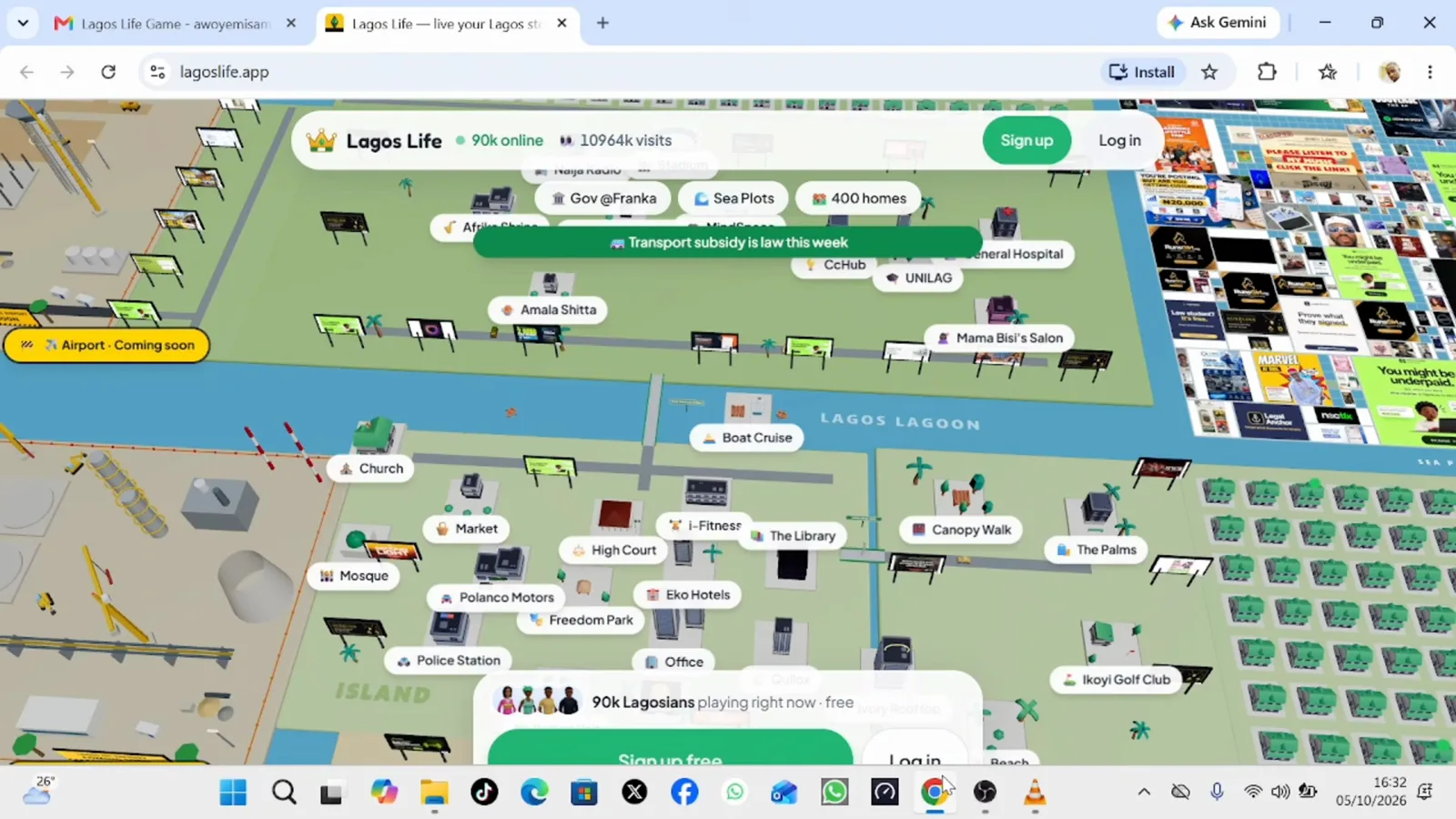
The game’s landing page: a live map of the city and one Sign up button in the top bar. (1:15 in the video)
Step 2 — What do you type on the create-account form?
The form asks for a name, a username (this becomes your Sim’s name in the game) and a password. The email box is marked optional, and below the fields sits the one required tick: I’m 18 or older, plus agreement to the Terms and Privacy Policy.
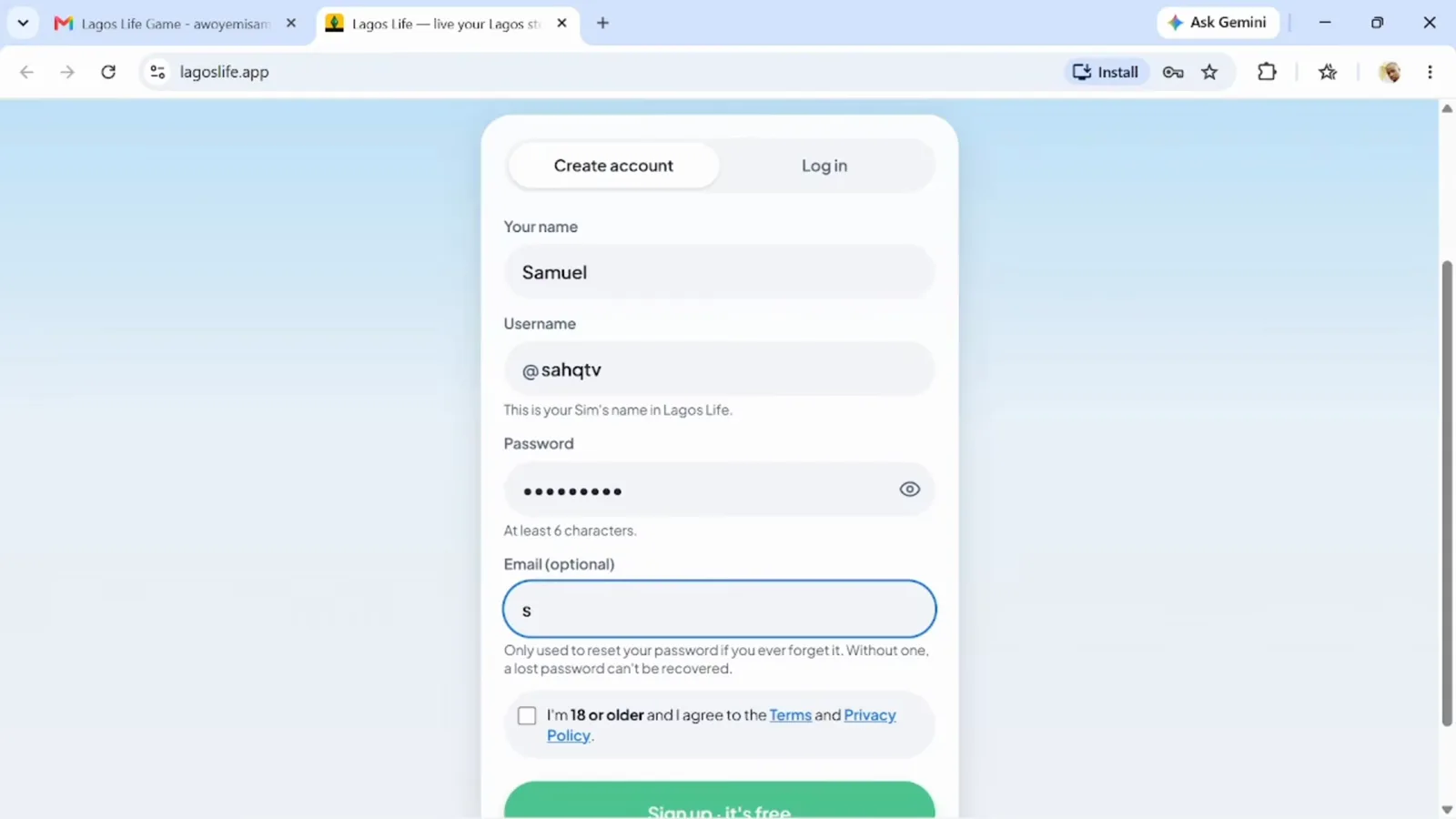
Four fields and one checkbox: name, username, password, optional email, and the 18+ agreement. (2:15 in the video)
Our login and sign-up guide covers the log-in side and the game’s backup address.
Step 3 — How do you style your Sim’s look?
The Look step puts your Sim on the left and swatches on the right: skin tone, hair, outfit and bottom colours. There is no wrong answer — the Continue button is the only gate.
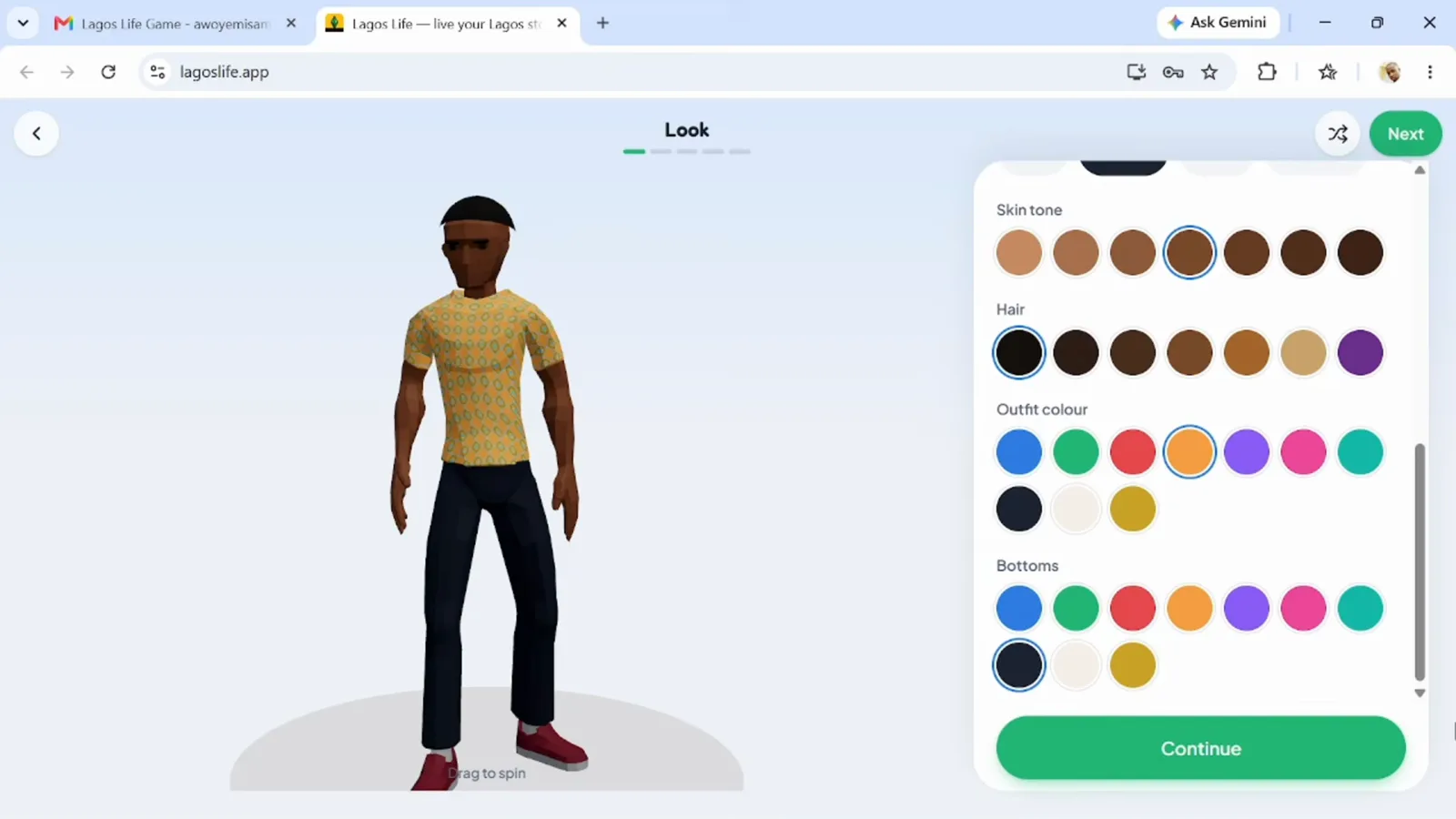
The Look step: swatch your way to a Sim, then Continue. (2:55 in the video)
Step 4 — How do you pick a personality?
Next the game asks you to choose two traits. The cards say what each one does — the Hustler grows the Hustle skill faster, the Foodie learns cooking quickly, and so on. Two slots, so pick the pair that matches how you want to play.
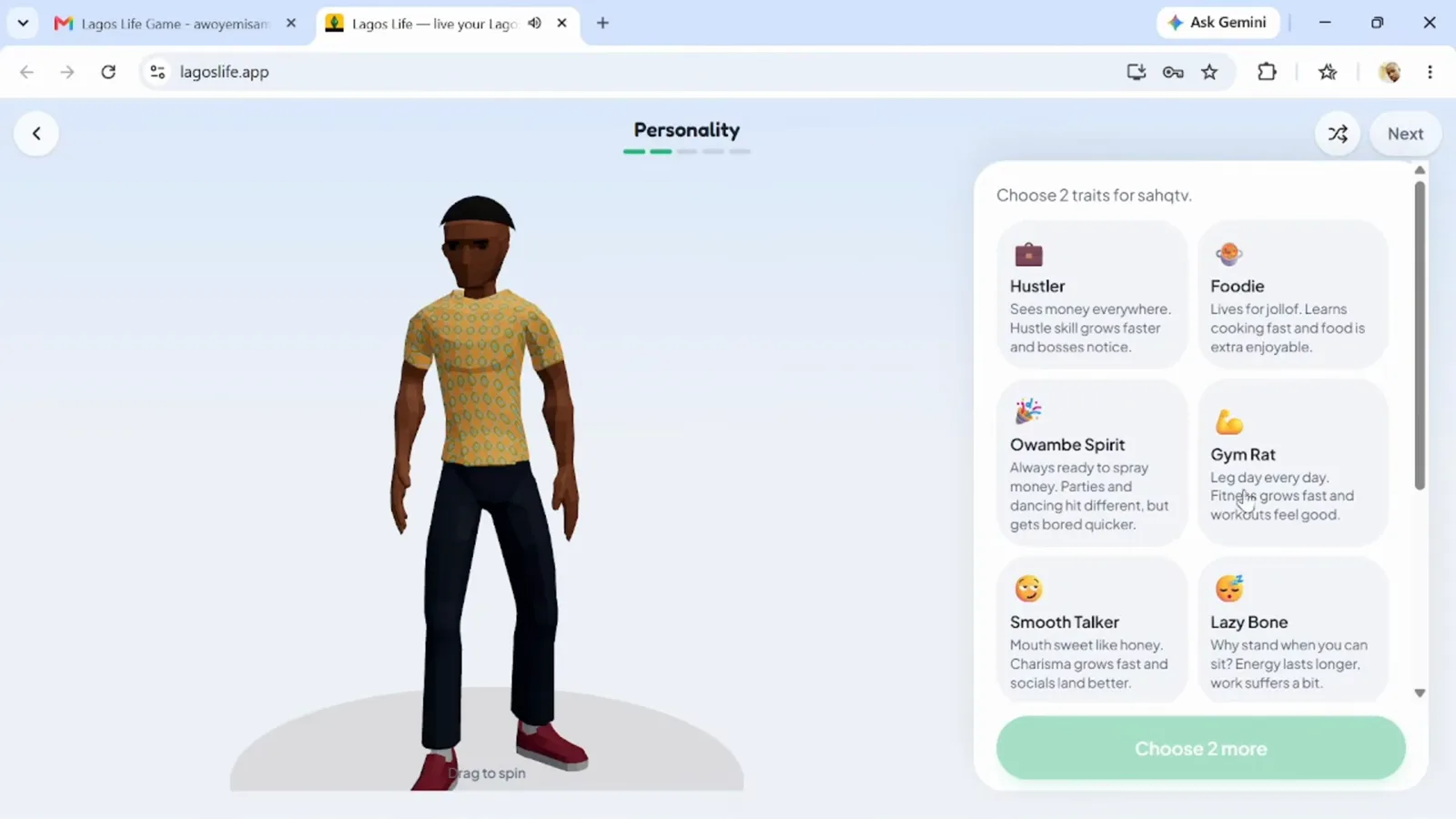
Pick two traits; they change how fast some skills grow. (3:05 in the video)
Step 5 — What is a big dream, and which one should you choose?
The Dream step lists five life goals — reaching the top of any career, building a Lekki-size fortune, becoming an Afrobeat star, being everybody’s padi, or getting a startup funded in Yaba. You choose one, and the game tracks it as your Sim’s headline goal.
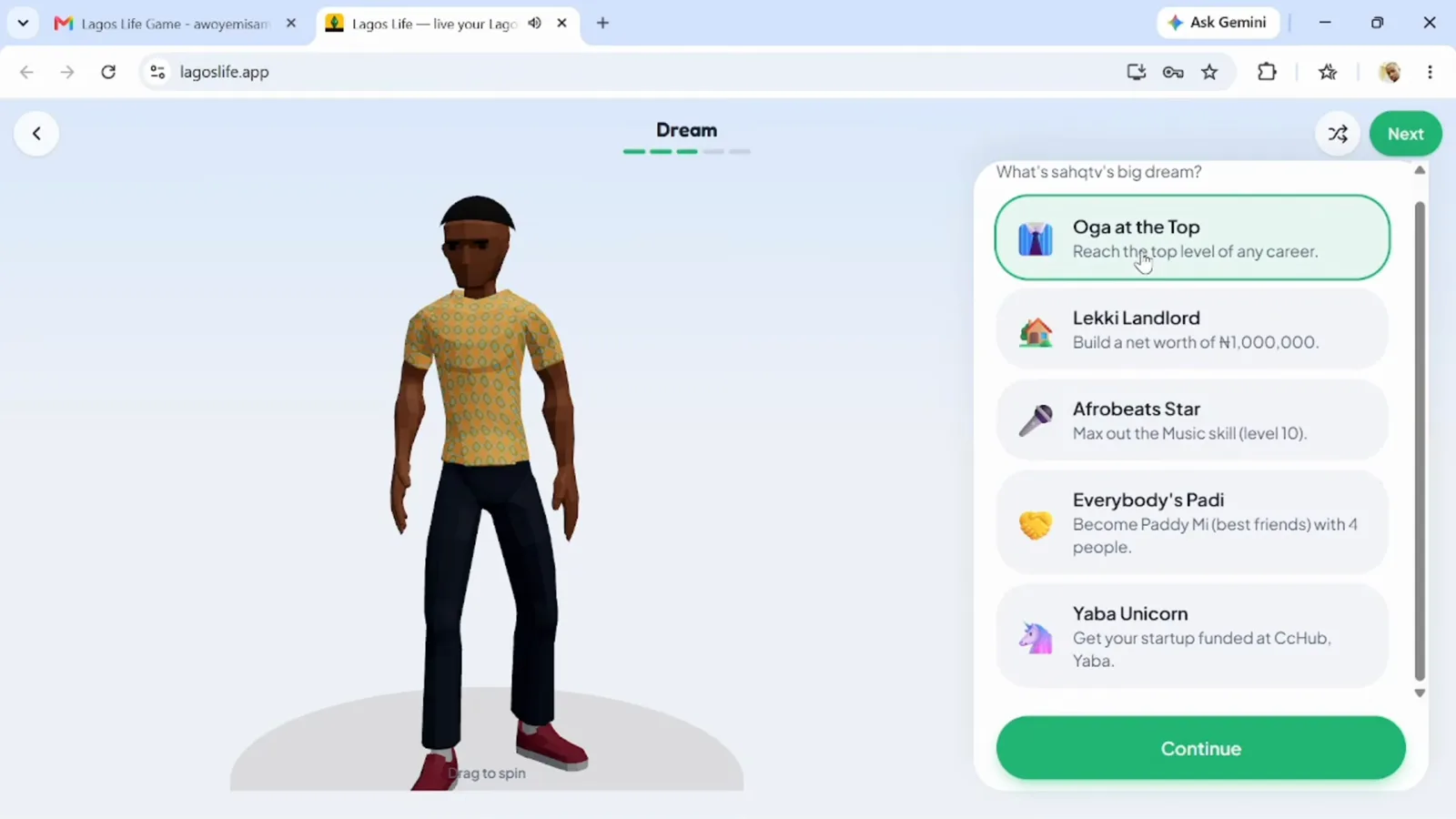
One big dream per Sim; this run took the career-top goal. (3:35 in the video)
Step 6 — What is the Birth lottery?
You do not choose rich or poor. The Birth lottery rolls your origin: a Nepo Baby starts with pocket money, a Lekki flat and a bank job; a LAPO Baby starts with a loan to repay, a Hustle head start and faster learning. This recording rolled LAPO Baby, and the card says the result is decided once for your account.
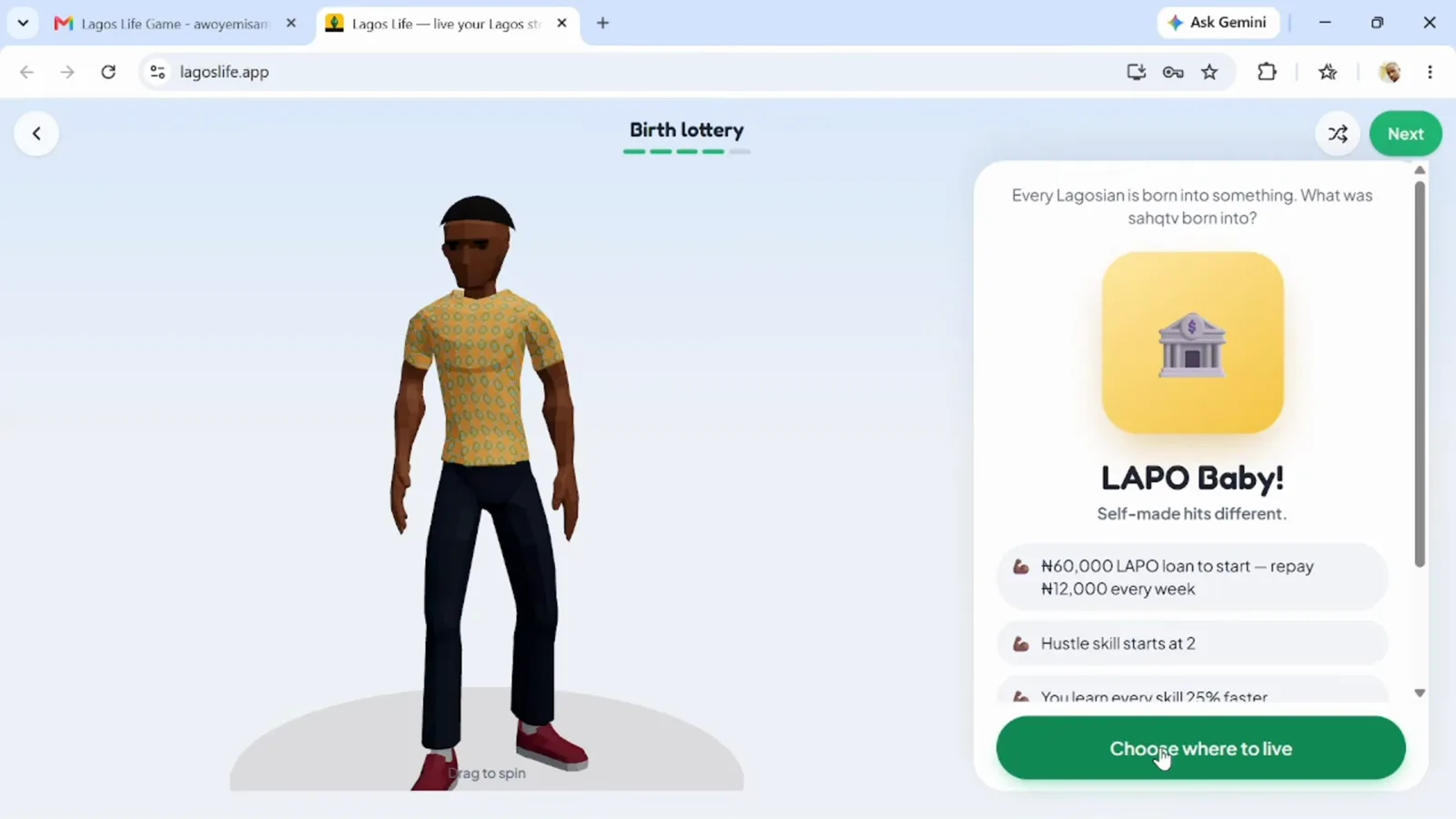
The lottery rolls your origin — this run landed on LAPO Baby. You cannot pick your roll. (4:00 in the video)
The full comparison of the two starts, including what the loan costs over its life, is in how to make money.
Step 7 — How do you choose your first home?
The picker lists your start options with each home’s starting cash and weekly rent: the UNILAG hall (students only), the Mushin face-me-I-face-you room and the Yaba self-contain for a LAPO roll. A Nepo roll skips this screen and moves straight into the Lekki flat. Pick one and tap Move in.
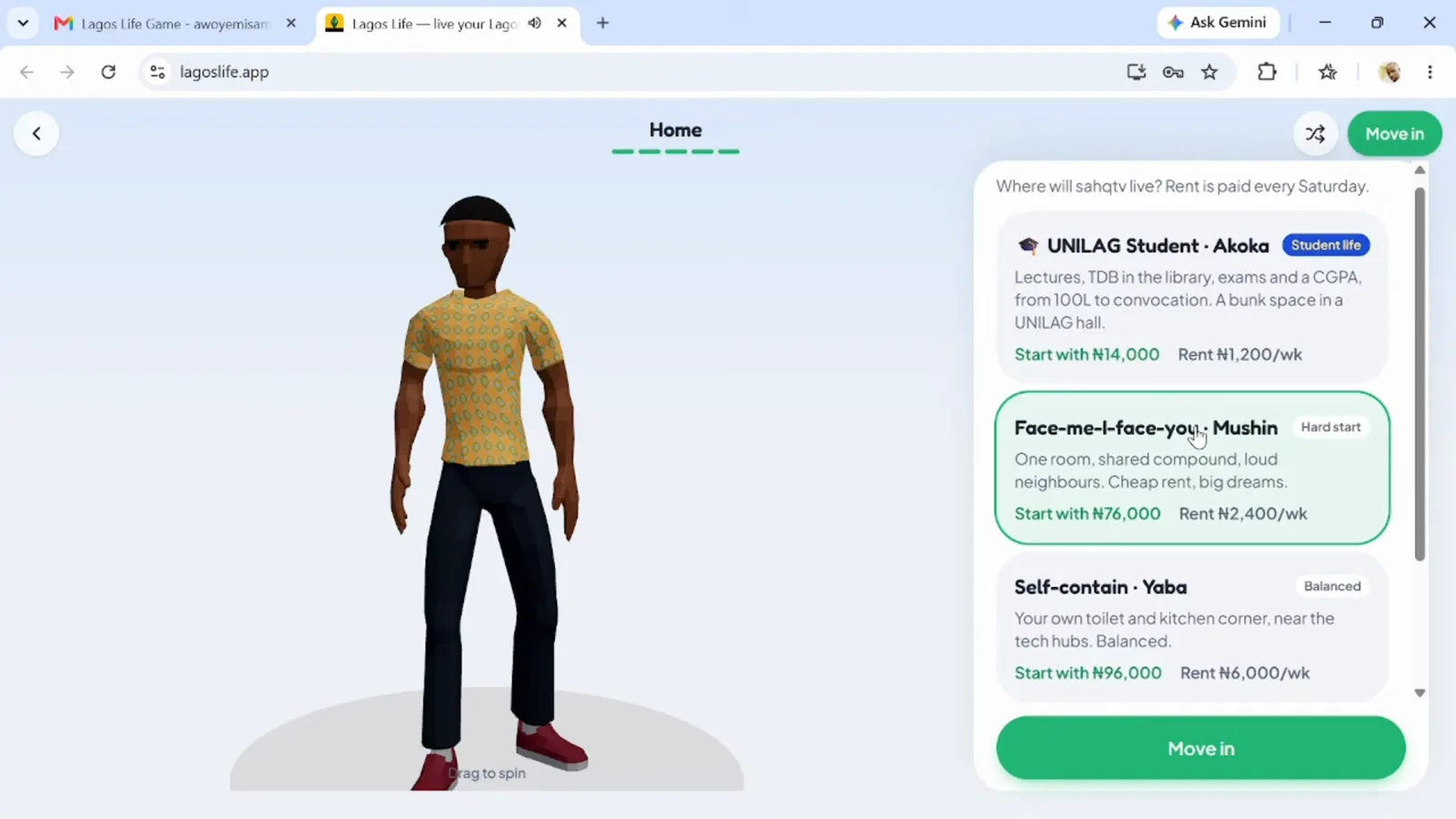
Your first address comes with its own starting cash and weekly rent; the UNILAG hall on this list is students-only. (4:35 in the video)
What every Lagos home costs later in life is in the homes and rent guide, and when you outgrow your starter home, renting your next place is its own pictured walkthrough.
Step 8 — What does your first home screen show?
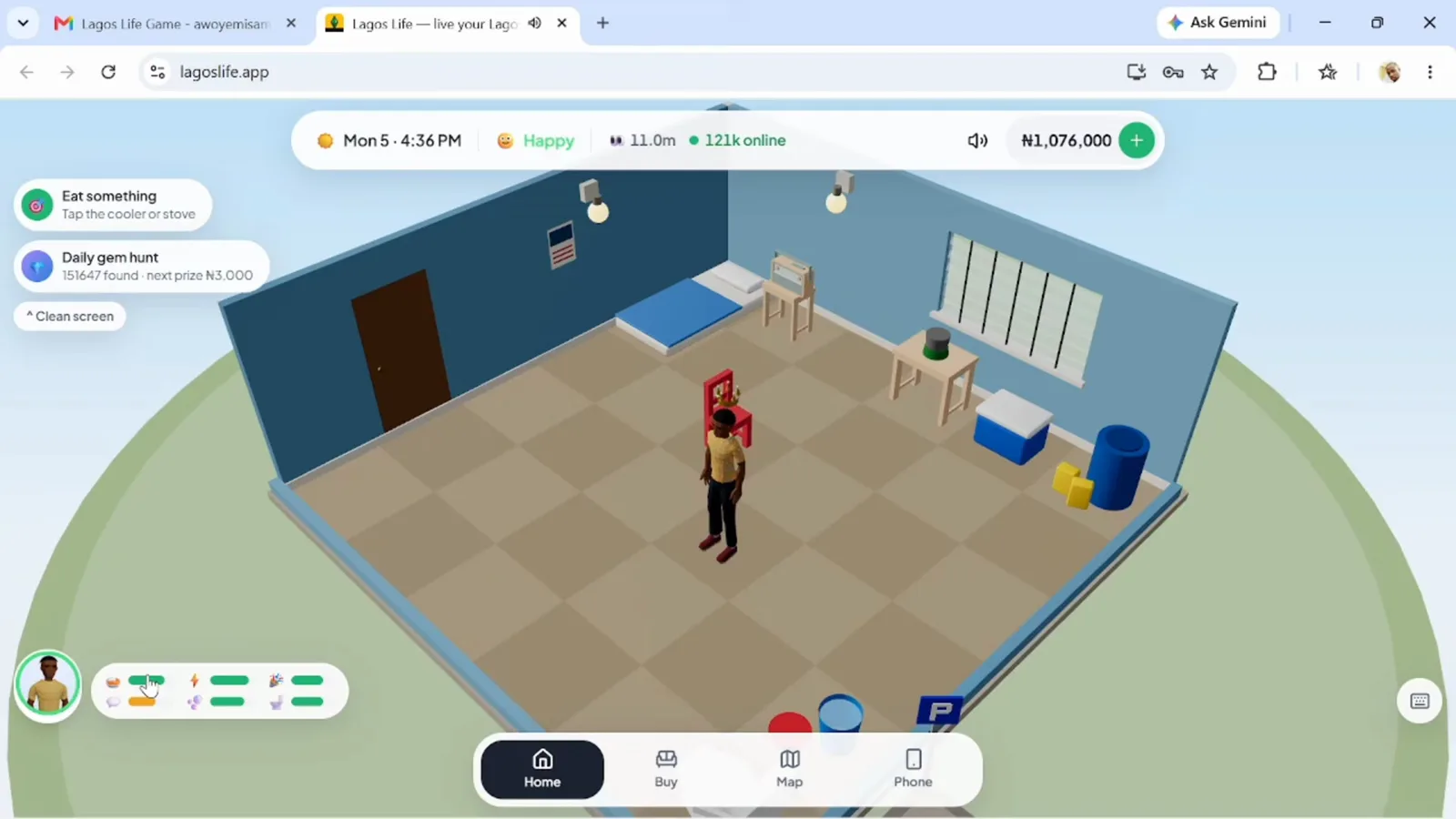
You land in the flat your roll can afford: one room, your Sim, and a slim interface — a needs widget bottom-left, hint bubbles for what to do next, and Home, Buy, Map and Phone buttons at the bottom edge. The top bar carries the Lagos clock, your mood, the visitor count and your wallet.
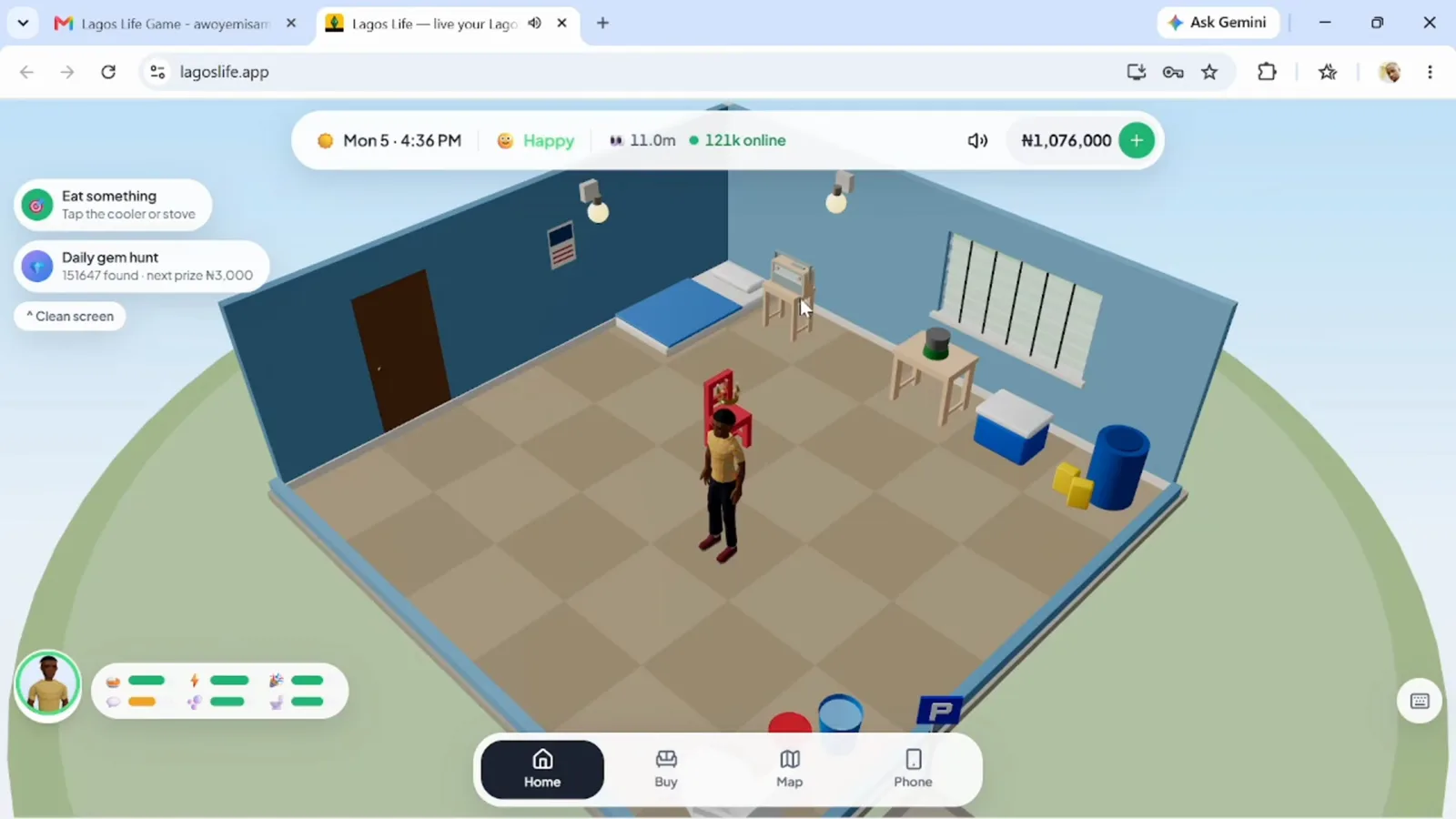
Alive in Lagos. The widget bottom-left is your needs; the hint bubble tells you what to tap first. (5:19 in the video)
Step 9 — How do you check your needs?
Tap your avatar and the profile panel opens with tabs for Profile, Needs, Goals, Skills, People and Career. The Needs tab lists all six bars with percentages — Bladder drains first, Social last — and they fall in real time whether you look or not.
Tap your avatar and the Needs tab lists all six bars with percentages. (5:25 in the video)
Step 10 — How do you get your first meal?
Open the Map, travel to a food spot — the recording eats at Amala Shitta — and tap the counter. The menu lists the plates with their prices; pick one, pay, and the hunger bar climbs back while your Sim eats. Doing this before a shift, not after, is half of what our starter tips are about.
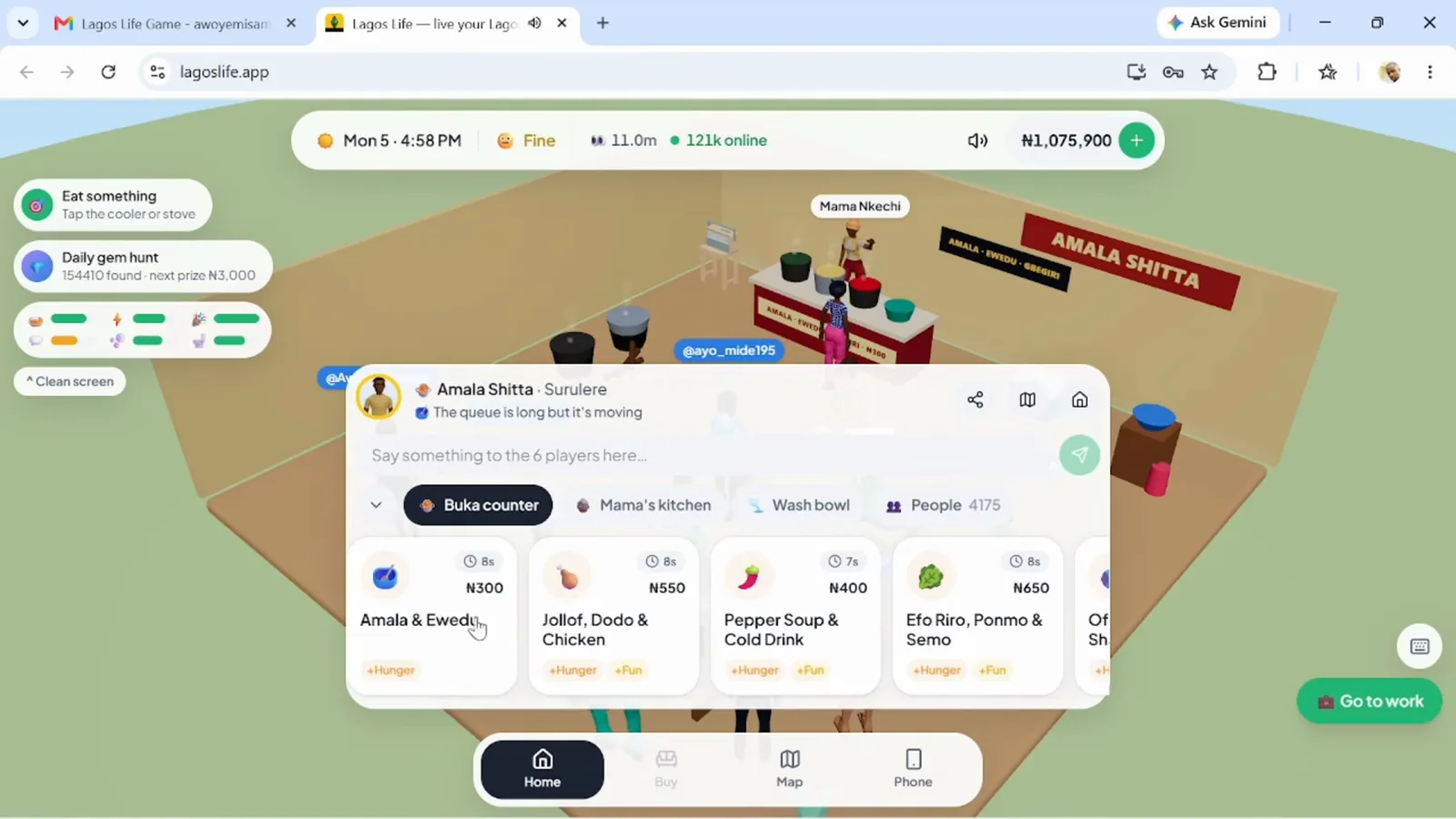
Food fixes hunger: open the counter, pick a plate, pay, done. (23:18 in the video)
What should you do on day two?
The morning after your first day is when money starts: open the phone’s Jobs app, apply, and work your first shift. That flow — apply, task buttons, payday — is the get-a-job walkthrough, and the pay each career offers per shift is in the careers and salaries table. Getting around for interviews and food runs costs fare money; the transport fare table has every price.
Frequently asked questions
Do you need to give your email address to sign up for Lagos Life?
No. On the create-account form the email box is marked optional — the name, username and password are what the form needs. If you add an email you can also log in with it later.
Can you pick the LAPO or Nepo start in Lagos Life?
No. The Birth lottery step rolls one origin for your account and the screen says it is decided once, so a new life does not change it. This walkthrough's roll landed on LAPO Baby; a Nepo roll instead starts you with pocket money, a Lekki flat and a bank job.
Why did Lagos Life show me a 'Lagos hit a small go-slow' screen?
That is the game's own downtime page — it appears when the server hiccups, says your progress is saved, and offers a Reload button. Wait a moment and reload; nothing in the walkthrough below depends on that screen.
Does your first home change your starting money in Lagos Life?
Yes. On the home picker each start address shows its own starting cash and weekly rent, so the cheap room and the balanced flat do not start you with the same wallet. The UNILAG hall on the same list is for enrolled students only.
Related pages
How to Rent a Home in Lagos Life Game, Step by Step
A picture walkthrough of moving home in Lagos Life Game: the Houses app, weekly rents, the move-in cost breakdown, the Move In button and furnishing your place.
How to Get a Job in Lagos Life Game, Step by Step
A picture walkthrough of getting a job in Lagos Life Game: the Jobs app, reading pay and skill requirements, applying, working a shift and getting paid.
Lagos Life Game Promotion: Ranks, Grades and Pay Raises
How promotion works in Lagos Life Game: the performance score, the shifts, the skill level, the Lagos Rep and the days each rank needs, and what every grade pays.
Was this helpful?