Lagos Life Game App: Is There a Download? iPhone, Android
As of 7 Oct 2026 we found no Lagos Life app in the App Store or Google Play, and no official APK. The game runs in your browser at lagoslife.app. On iPhone, use Safari's Share button, then Add to Home Screen. On Android, use Chrome's Install option when the game offers it.
On this page
Is there an official Lagos Life Game app?
No store app that we could find. Lagos Life is a web game: you open lagoslife.app in your phone browser and play there. “Installing” means adding that page to your home screen, so it gets its own icon and opens full screen, like an app.
On 7 Oct 2026 we searched the Apple App Store (US and Nigeria) and Google Play by hand for “lagos life”. Neither shows a Lagos Life game. Store listings can change, so if one appears, trust it only when a link on the game’s own official accounts points to it.
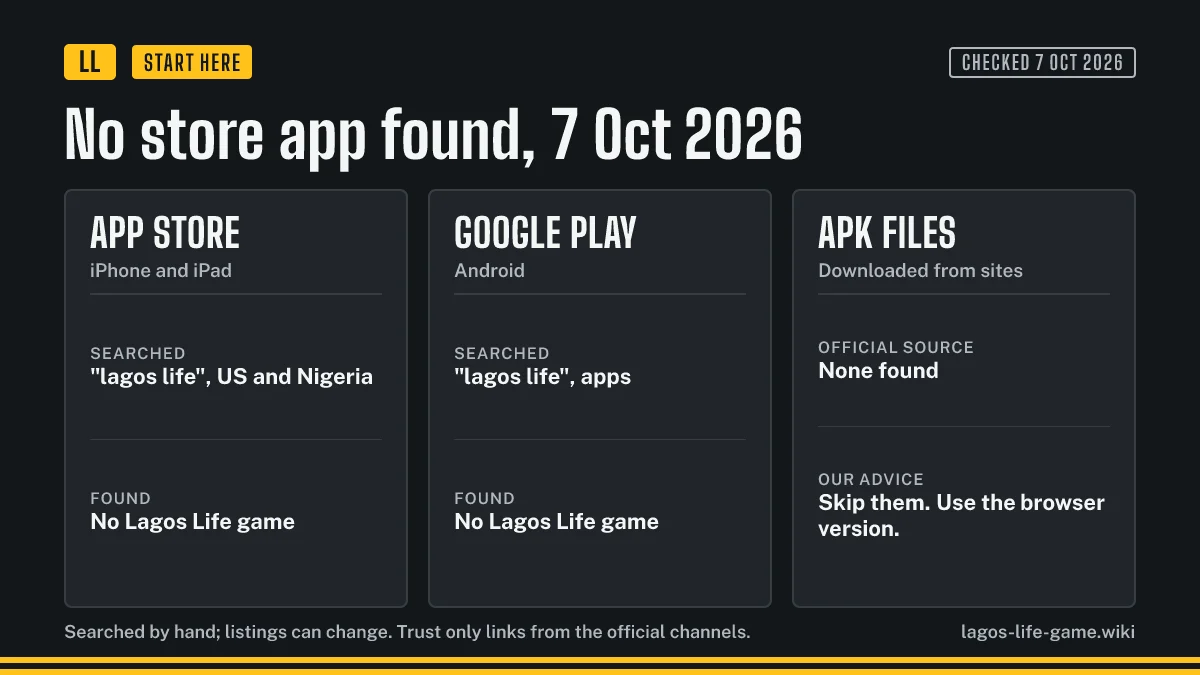
This is why “download” searches lead to odd places. There is nothing official to download. If you have not made an account yet, start with our login and sign-up guide.
How do I add Lagos Life to my iPhone Home Screen?
You need an iPhone on iOS 16.4 or newer, and the steps only work in Safari. The game shows its own short install sheet that says the same.
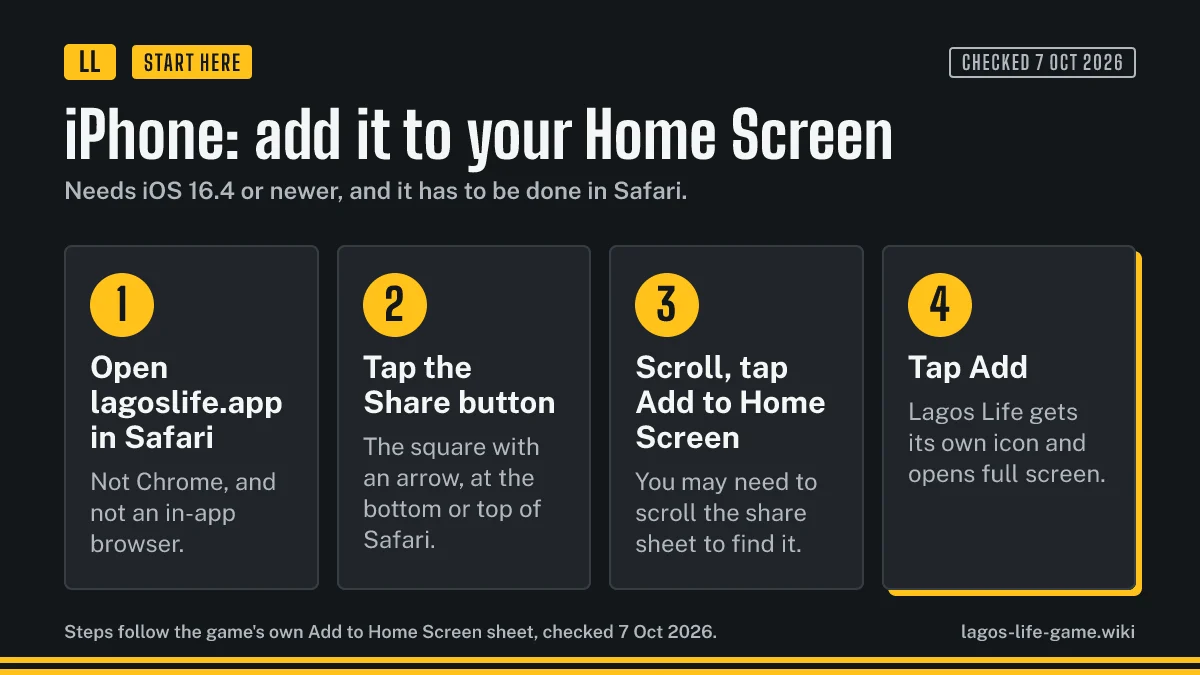
- Open lagoslife.app in Safari. Not Chrome, and not the browser inside another app.
- Tap the Share button, the square with an arrow.
- Scroll the share sheet and tap Add to Home Screen.
- Tap Add.
The Lagos Life icon appears on your home screen. Open it from there and the game fills the screen with no browser bars.
How do I install Lagos Life on Android?
On Android, use Chrome. No APK and no store are involved.
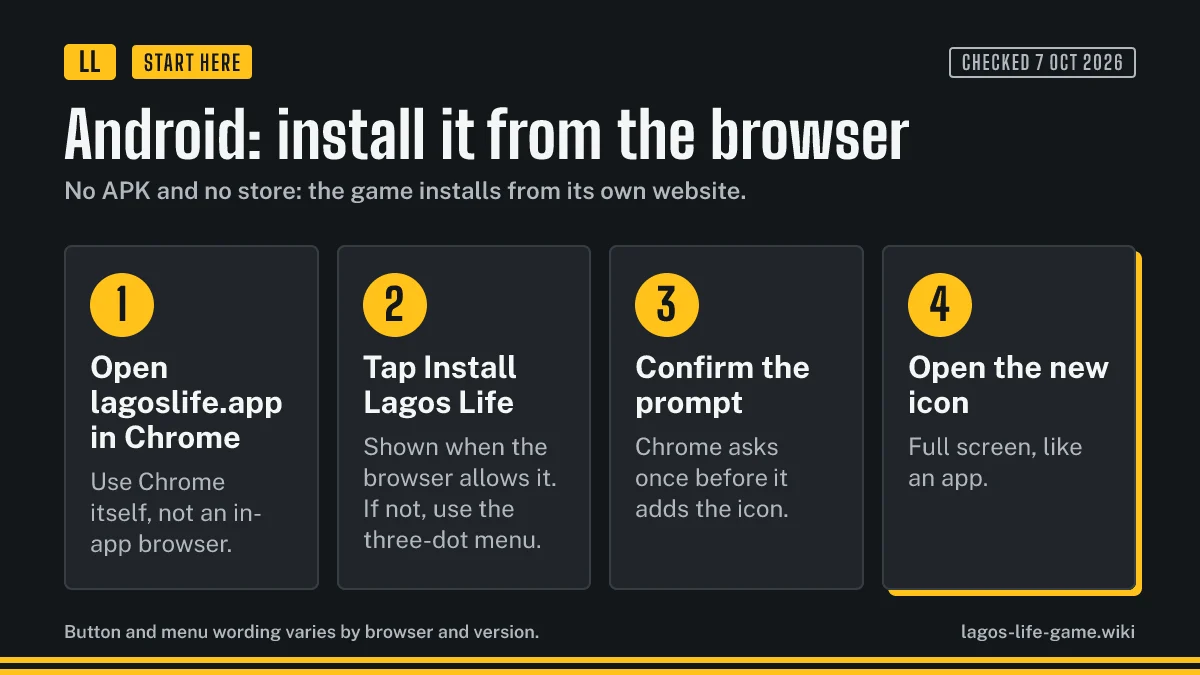
- Open lagoslife.app in Chrome itself, not an in-app browser.
- Tap Install Lagos Life when the game or Chrome offers it. If you do not see it, open the three-dot menu and look for Install app or Add to Home screen.
- Confirm the prompt. Chrome asks once before it adds the icon.
- Open the new icon.
Button and menu wording changes with the browser and its version, so treat the names above as the usual ones, not a promise.
Is there a Lagos Life Game APK or download link?
Not an official one. The developer’s own sites are the two addresses in the Terms of Use, and both are websites. An APK, a “mod”, an “unlimited Naira” installer or a download button on any other site is not from the game.
If you want the shortest safe route, type lagoslife.app yourself and add that page to your home screen with the steps above.
How do I update or remove the Lagos Life web app?
You do not update it by hand. The icon opens the live website, so you get the current version each time you open it. When the game changes, our pages change too: look for the Checked date at the top of each one.
To remove it, press and hold the icon and choose the remove or uninstall option your phone shows. That removes the shortcut only. Log in again from the official address and your account is still there.
Why won’t Lagos Life install on my phone?
- iPhone, no Add to Home Screen button. You are probably not in Safari, or you are on a version older than iOS 16.4.
- Android, no Install option. You may be inside the browser of another app. Open the address in Chrome, wait for the page to finish loading, then check the three-dot menu.
- The icon opens a normal browser tab. It was probably added as a plain shortcut. Remove it and add the game again, using Install if Chrome offers it.
- The page will not load. Check the address first, then try the backup address from the login guide.
Once the icon works, how to play Lagos Life walks you through the first week.
Frequently asked questions
Is there a Lagos Life app in the App Store or Google Play?
As of October 7, 2026 we searched both stores by hand and found no Lagos Life game in either. Stores change, so check the game's official accounts before you trust a new listing.
Is there an official Lagos Life Game APK?
We found none. The game installs from its own website, lagoslife.app, so an APK from any other site did not come from the developer. Skip it.
Which iPhone do I need to add Lagos Life to the Home Screen?
An iPhone on iOS 16.4 or newer, using Safari. Chrome and in-app browsers cannot add it.
Does adding the game to my home screen cost anything?
No. The icon is a shortcut to the website. Playing is free, though the game also sells optional Game Naira for real money.
Will I lose my progress if I remove the icon?
Removing the icon only removes the shortcut. Your progress belongs to your account, so log in again from the official address to carry on.
Related pages
Lagos Life Game Transport Fares: Danfo, Keke, Okada, Cab
Lagos Life Game transport fares for danfo, keke, okada, cab and your own car: base fare, price per km, trip times, and when cab fares rise at rush hour.
How to Play Lagos Life Game: First Week, Needs and Tips
A plain-English Lagos Life Game starter guide: what you do each day, the six needs, how a shift pays, a five-move first week, and whether cheats exist.
Lagos Life Sims: What It Is, Is It Real, and vs The Sims
Lagos Life Sims, Lagos Life Game and Lagos Lifestyle Game all name one browser life sim. How it differs from The Sims, whether it is real, and what it costs.
Was this helpful?