How to Drive Your Own Car in Lagos Life Game, Step by Step
Walk up to your car in Lagos Life Game and tap the green Open door button. The right edge carries GAS and BRAKE pedals, a HORN and Get out, with the speedometer at the bottom. Tap Home in the top bar to steer home on the blue route line, then tap Get out when parked — six pictured steps.
On this page
How does driving work in Lagos Life?
The 3D streets are the one part of Lagos Life you steer yourself: walk up to a car you own, tap Open door, and the camera drops behind the bonnet with pedals at the edge of the screen. This page follows one full drive from a real recording — pull away, learn the controls, open up on the main road, then steer home along the blue route line and step out. For the map-based travel that most of the game uses, see the map and travel walkthrough.
Source and review: the screenshots come from Lagos Life Game | Drive your own car by KKC Games, published in October 2026. We read its full transcript and checked these six frames on 2026-10-24. The written instructions are ours; each caption deep-links the exact second of that video.
What this page does not cover: buying a car. The recording starts with a car already owned — where showrooms sit and what they charge is a check we have not done, so this page makes no car-price claim. What a drive costs in fuel once you own one is in the fare table: your own car pays fuel only, a 5 km run coming to ₦50 on a normal day.
Step 1 — How do you get into the car?
Walk up to the car parked on your street. A green Open door button appears at the bottom right of the screen — the recording’s Sim crosses to a car outside house No. 16 and taps it. One tap, and the Sim climbs in.
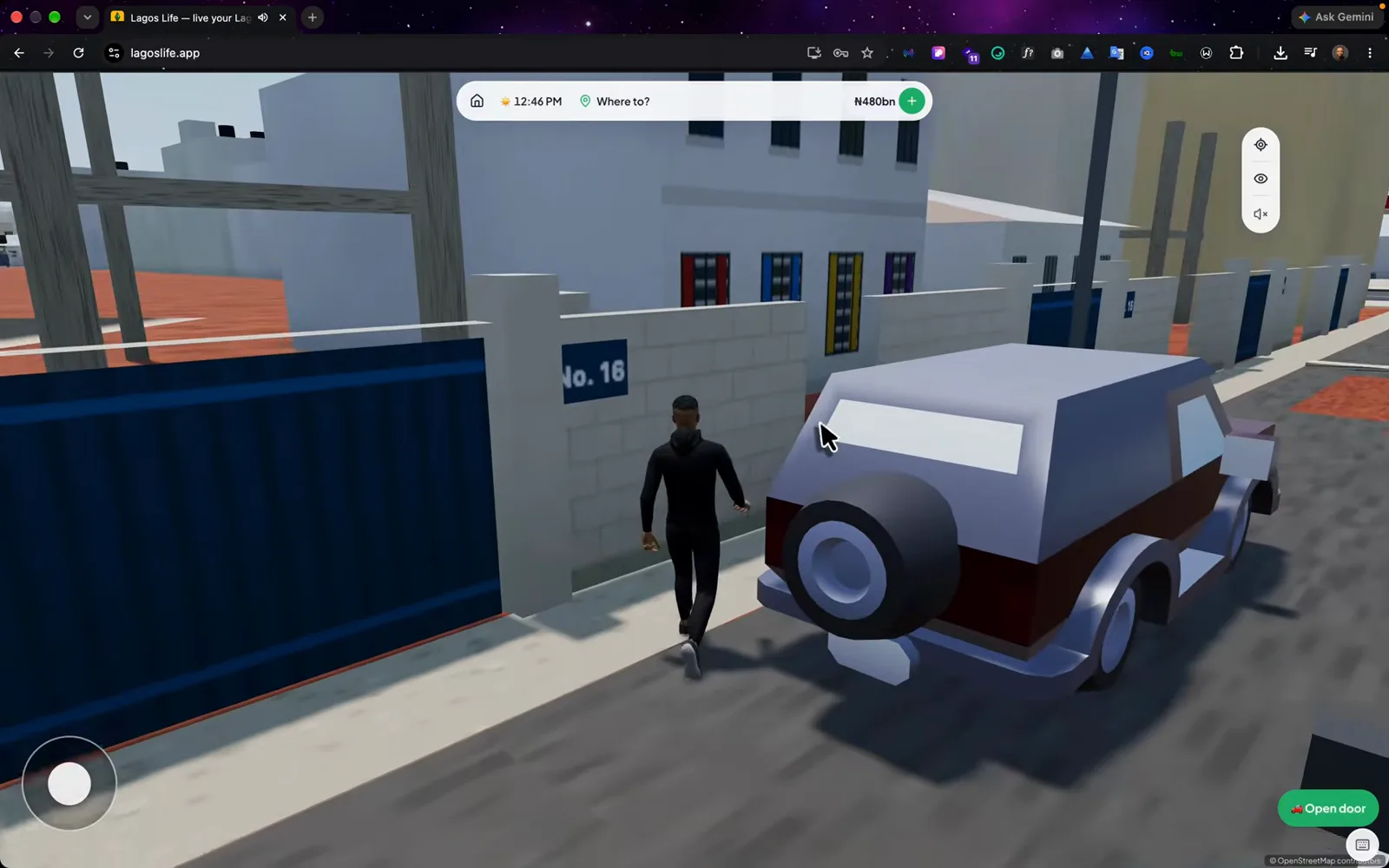
The Open door button only shows next to a car you can enter. (0:08 in the video)
Step 2 — How do you pull away?
The camera drops behind the roof and the street opens up. GAS moves the car, the rearward BRAKE pedal slows it, and the arrows at the bottom left steer — the recording’s driver names them as move, front and brake. Ease out of the street the same way you walk it: the walls are closer than they look at speed.
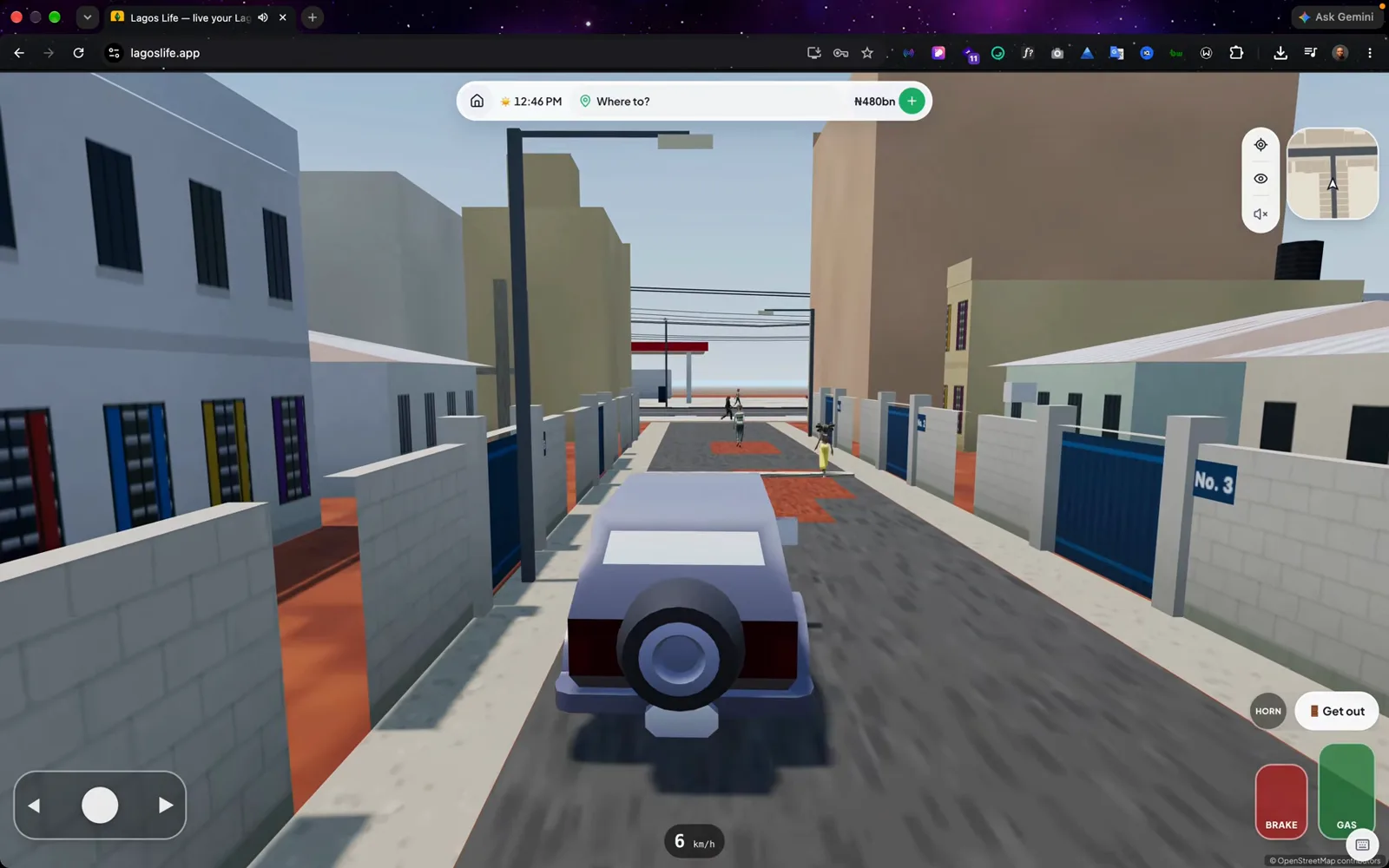
Same street, new pace — the walled lanes are where the BRAKE pedal earns its keep. (0:26 in the video)
Step 3 — What do the pedals, horn and speedometer do?
The right edge of the screen stacks the whole dashboard: HORN, Get out, then the red BRAKE and green GAS pedals. The speedometer sits at the bottom centre and counts up as you hold GAS. The recording also shows the car dragging without warning — its driver’s advice is simply to keep tapping GAS, and the car picks up again from wherever it slowed.
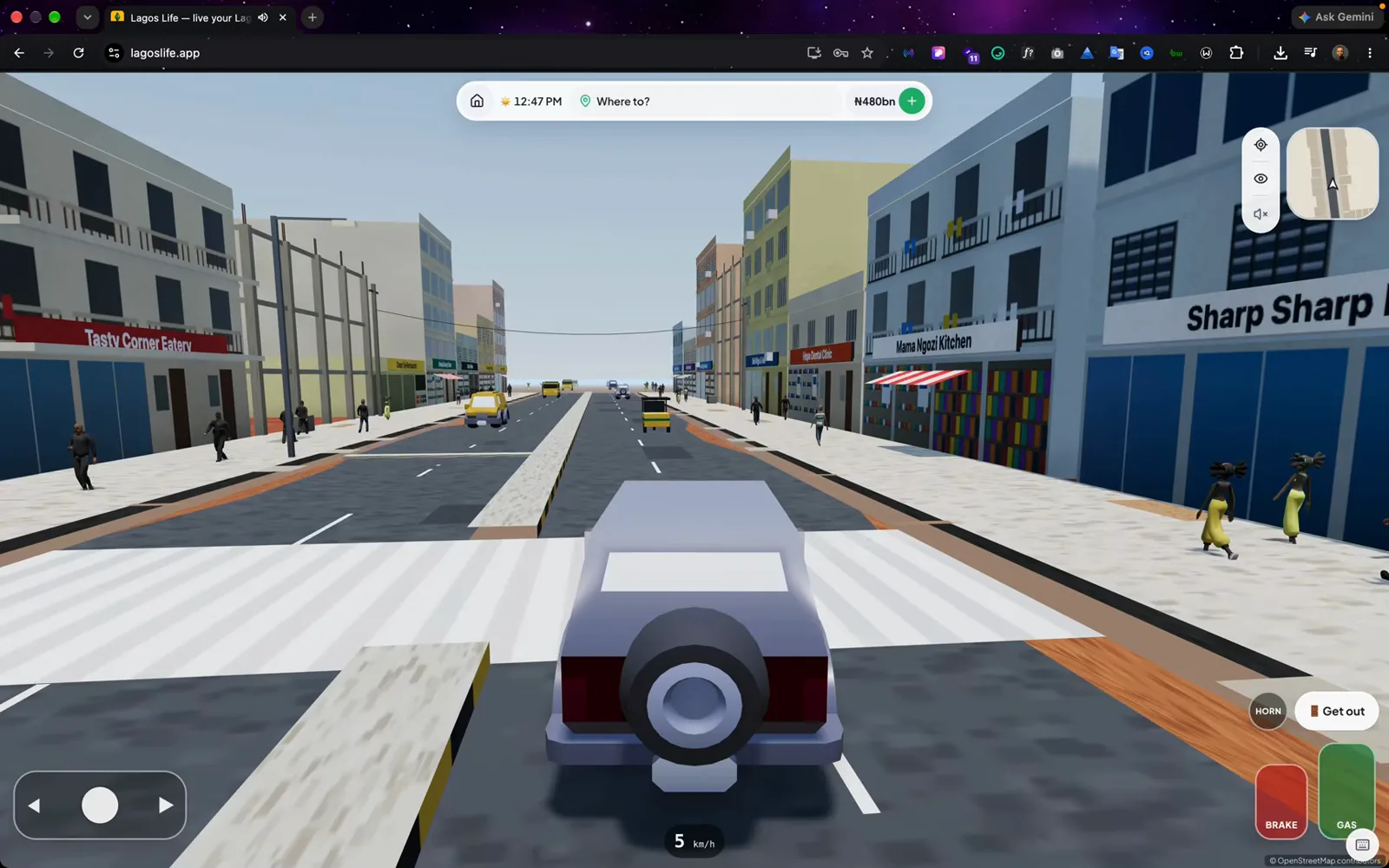
Pedals right, speed bottom centre, and the horn for the traffic you cannot pass. (0:48 in the video)
Step 4 — What is the main road like?
Out of the side streets the lanes widen, the BRT lane runs down the middle behind its kerb, and the yellow danfo buses fill the oncoming side. The recording cruises past shops and billboards here — and past parked cars that belong to sellers, which the driver says cannot be entered. Only a car of your own answers the Open door button.
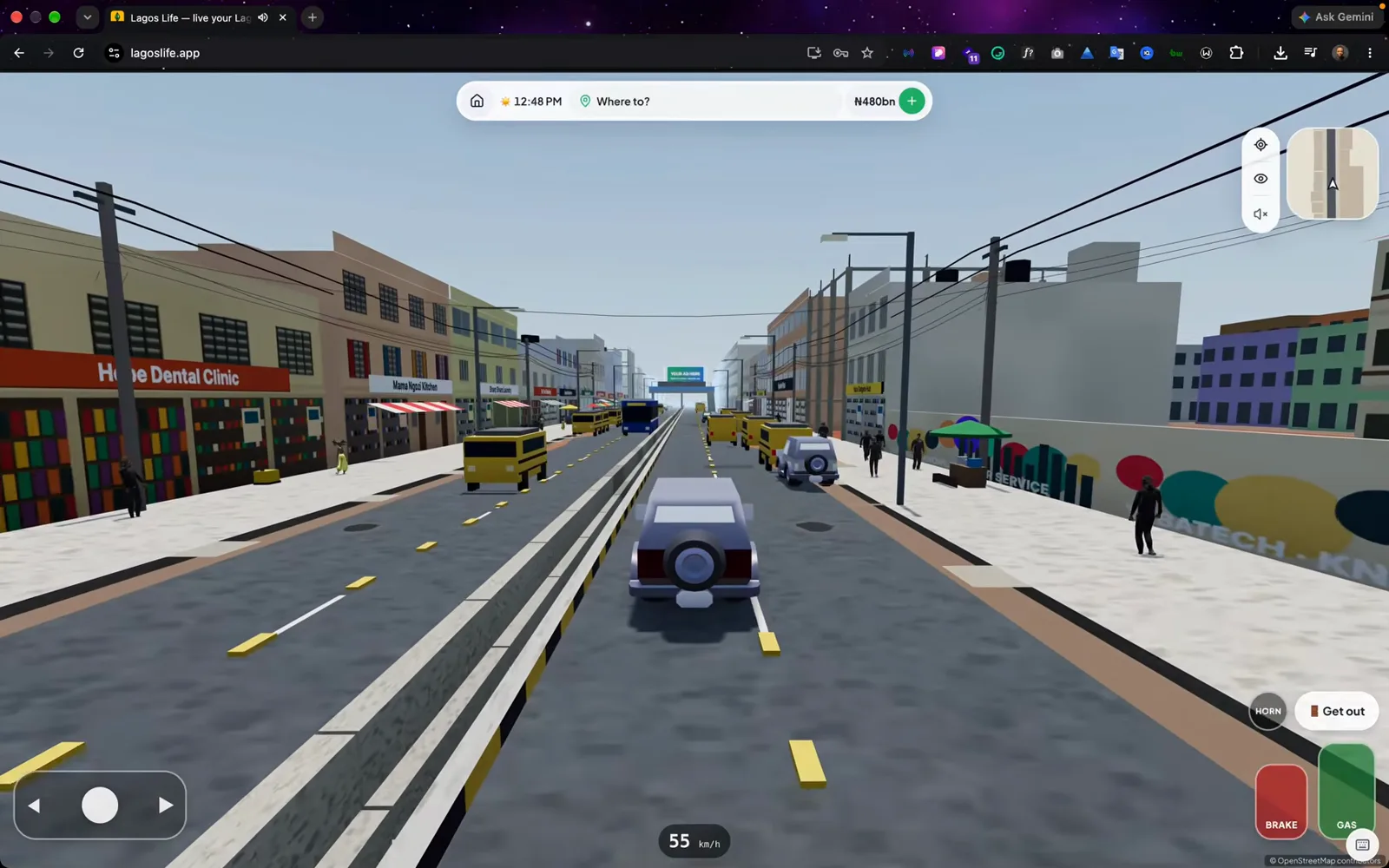
The main road is where the speedometer finally climbs. (2:08 in the video)
Step 5 — How do you steer home?
Tap Home in the top bar while driving. A green turn banner appears at the top left naming the next turn and how far away it is, and a blue dashed line paints the route on the road ahead. The recording follows the banner — turn by turn, the line running under the car — back into the home streets.
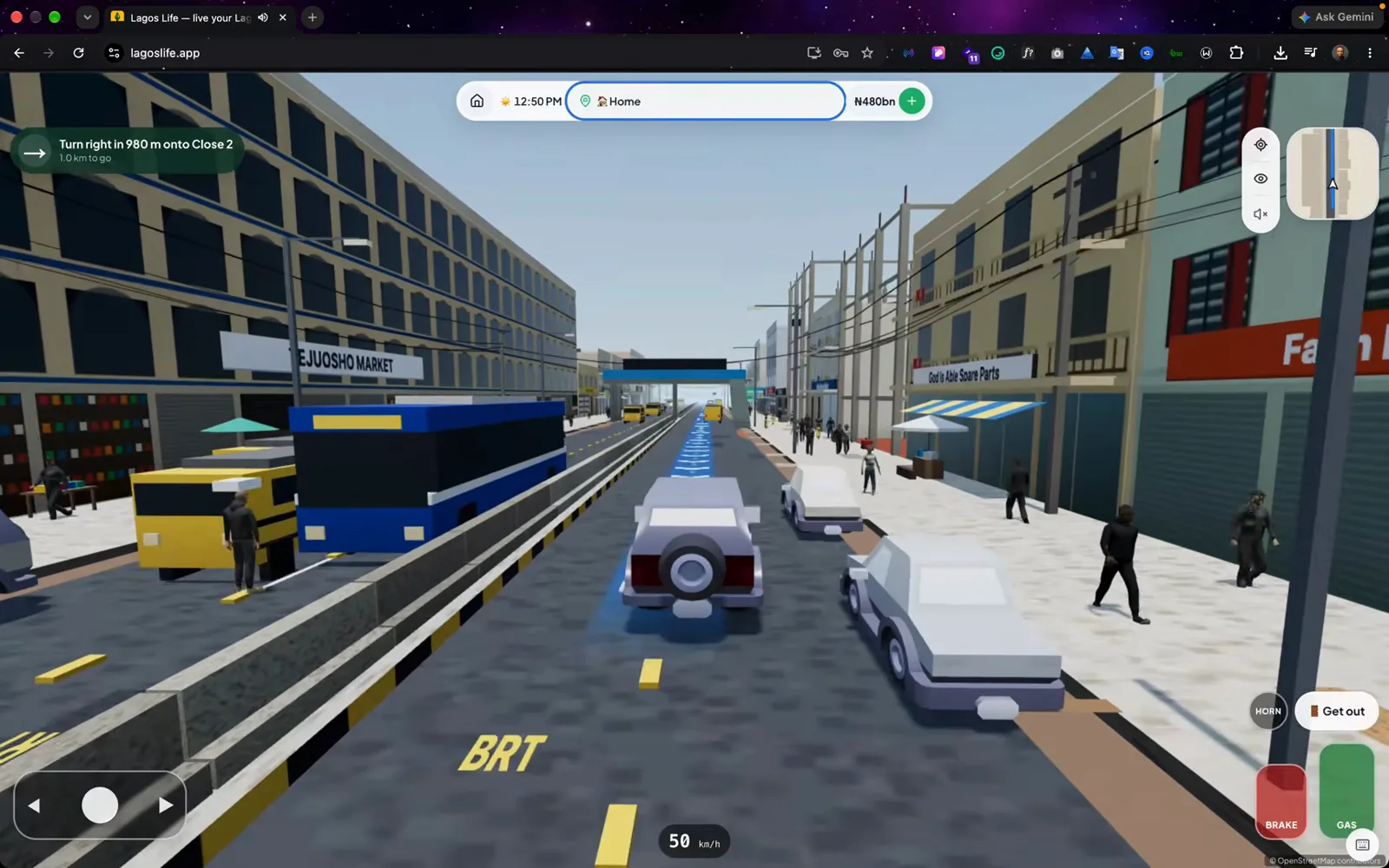
Home, banner, blue line — the route draws itself on the tarmac. (3:20 in the video)
Step 6 — How do you get out again?
Stop on the home street and tap Get out. The Sim steps onto the tarmac, a Home chip with a Walk there button appears at the top left, and the green Open door button stays where it was for the next drive. The recording ends with the Sim on foot beside the parked car, free to walk to the door.
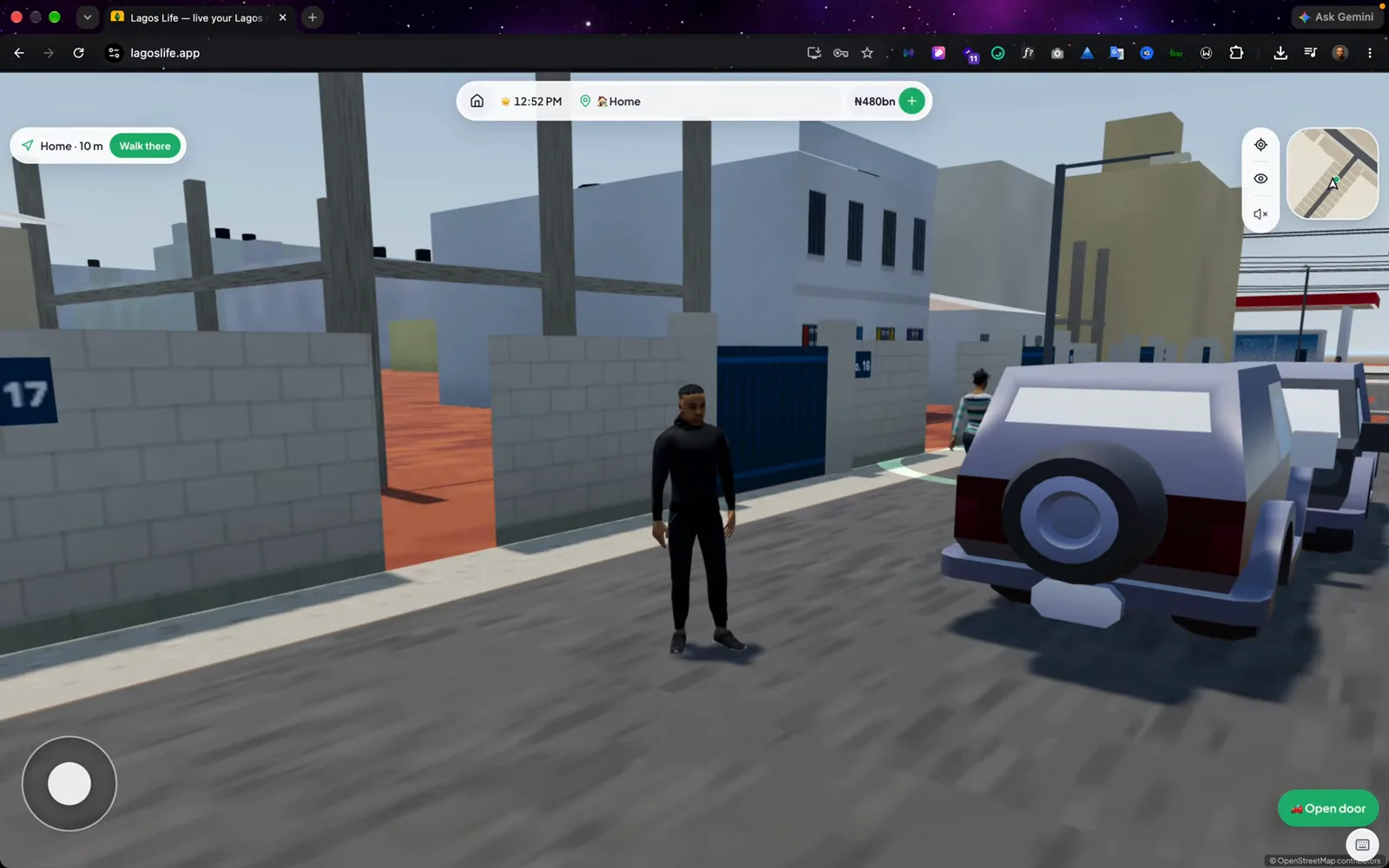
Get out ends the drive; Walk there and Open door take over from the pedals. (5:20 in the video)
Where does a drive fit in the day?
A drive is the fast way between venues on the map — what each ride costs per km, including the fuel-only rate your car enjoys, is in the Lagos transport fare table. The Naira behind the car and its fuel comes from the incomes on the make-money page: shifts first, then a whole venue bought through the Invest app, pictured in the business walkthrough. Flying further afield — and buying a home at the other end — is pictured in the Abuja and Port Harcourt home walkthrough. If you are still finding your feet, the beginner guide shows where a drive slots into the daily loop of shifts, meals and rest, and the first-day walkthrough covers everything before you own a car.
Frequently asked questions
How do you enter your car in Lagos Life?
Walk up to it and tap the green Open door button that appears at the bottom right of the screen. The recording's Sim crosses the street to a parked car outside house No. 16 and enters it with that one tap.
What are the driving controls in Lagos Life?
A BRAKE pedal and a GAS pedal sit at the bottom right, with a HORN and a Get out button above them and a speedometer at the bottom centre. The arrows at the bottom left steer, and the recording's driver says the rearward pedal brakes.
Why does the car keep slowing down in Lagos Life?
Traffic, junctions and wandering pedestrians all scrub speed, and the recording's car also loses pace on its own. The driver's fix is to keep tapping GAS — the car picks up again from wherever it had slowed.
How do you drive home in Lagos Life?
Tap Home in the top bar while driving. A green turn banner appears with the distance and street of the next turn, a blue dashed line paints the route on the road, and the recording follows it back to the home street.
Can you drive other people's cars in Lagos Life?
The recording says no: the cars parked along the roadside belong to sellers and cannot be entered. Your own car opens with the Open door button, and after you get out, the same button is there to climb back in.
Related pages
How to Get a Home in Abuja or Port Harcourt in Lagos Life
A picture walkthrough of getting a home in Abuja or Port Harcourt in Lagos Life: the flight, the Houses app's two tabs, the city filter and the landlord card.
How to Buy a Business in Lagos Life Game, Step by Step
A picture walkthrough of buying a business in Lagos Life Game: the Invest app, the OWN A BUSINESS cards, tapping Buy, the evening payout and the Sell button.
Lagos Life Game Map Guide: How to Travel and Go Home
Use the Lagos Life Game map in six pictured steps: find a destination, compare transport, tap Go, arrive at a venue and choose a ride back to your home.
Was this helpful?